
Tabski vs Clover for Food Halls
Tabski vs Clover for Food Halls
Clover is popular in retail and small restaurants because it’s easy to deploy and has a large app marketplace. But food halls require multi-tenant operations: vendor isolation, operator reporting, automated rent collection, and multi-vendor ordering — workflows Clover wasn’t designed to handle natively.
Automated Rent Collection Built for Food Halls
Food hall operators shouldn’t be reconciling tenant rent in spreadsheets every month.

Tabski
Tabski automates percentage rent and settlement reporting using real-time sales data across each tenant. It’s designed for vendor turnover, operator oversight, and clean month-end close.
- Percentage rent + thresholds (base + overage)
- Vendor rent statements + operator rollups
- Less admin time, fewer disputes, faster close
Tenant Isolation (Menus, Employees, Sales) + Operator Birds-Eye View
Food halls need vendor independence without sacrificing hall-wide reporting.
Tabski
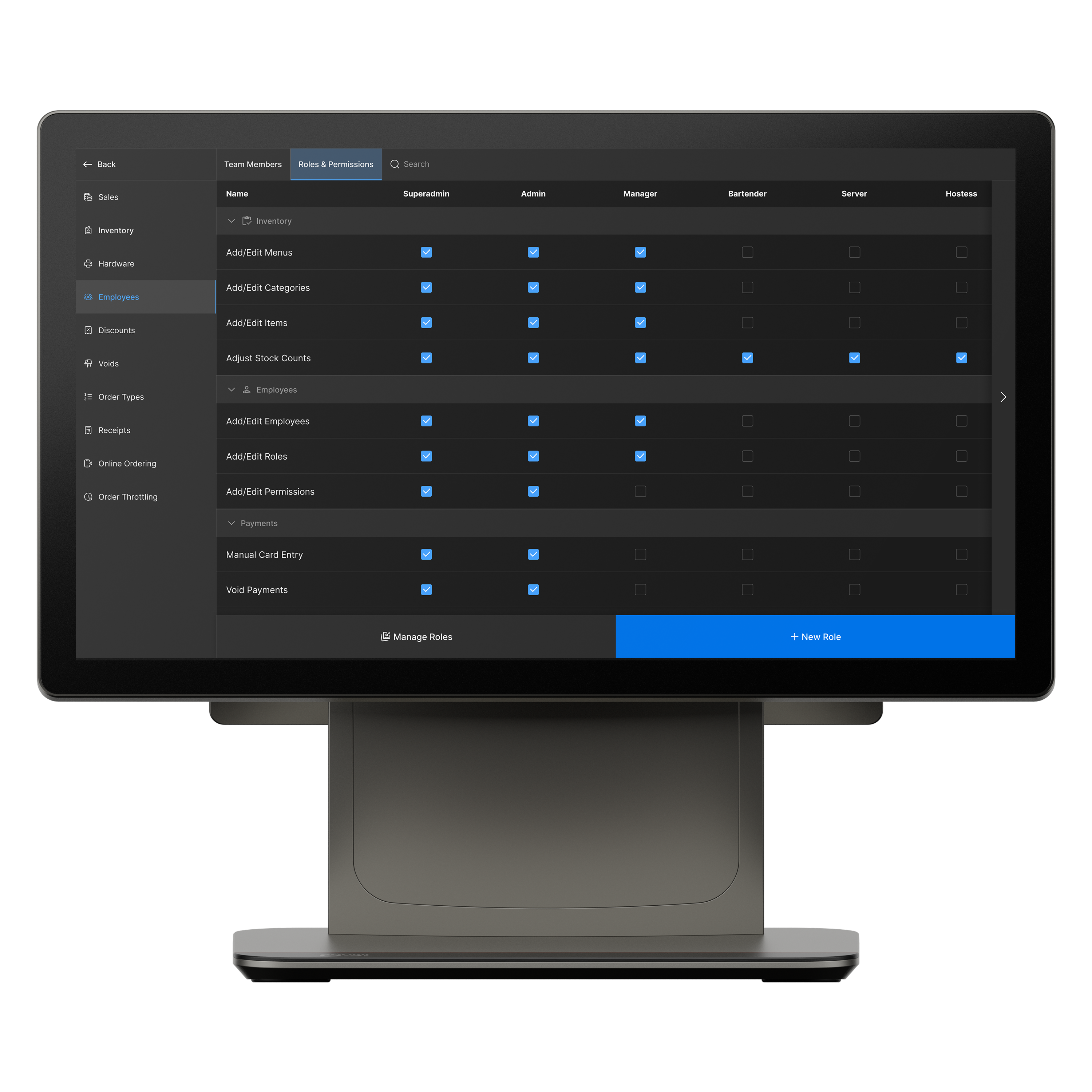
Tabski separates vendor menus, staff permissions, and sales while giving operators consolidated reporting across the entire hall. This prevents the “shared login / shared device / shared reporting” mess that breaks at scale.
- Vendor-level menus, users, and permissions
- Vendor-only reporting + exports
- Operator rollups: totals, comparisons, trends, dayparts
Multi-Vendor Ordering: One Cart, One Checkout
Food hall guests want one seamless experience — not multiple checkouts.

Tabski multi-vendor flow
Tabski supports cross-vendor carts and a single checkout while still keeping vendor accounting clean. Orders route to the right kitchen and report correctly at the vendor level.
- Cross-vendor cart + vendor routing
- Unified checkout improves conversion
- Clean vendor reporting for payouts and accounting
Aggregated Online Ordering Journeys (Pickup + Delivery)
Food halls grow when all vendor menus live in one online ordering flow.

Why aggregated ordering matters
Tabski keeps guests inside a single website journey so they can browse the entire hall, add items from multiple vendors, and complete one checkout for pickup or delivery.
- One ordering experience across all vendors
- One checkout reduces abandonment
- Better merchandising of the full hall offering
Food Hall KDS + Real-Time Payment Logic (Refunds + SMS)
When an item is out of stock, the system should handle the guest communication.

Built for shared public spaces
Tabski links kitchen workflows to payments: out-of-stock actions can trigger refund logic and notify guests via SMS without pulling staff off stations to “find the guest.”
- Out-of-stock actions can initiate refund logic
- Automated SMS updates reduce confusion
- Cleaner audit trails for operators and vendors
Open Tabs Synced With Mobile Orders for Busy Bars
Unify bar tabs across POS and mobile ordering for speed and cleaner reconciliation.

Unified tab workflows
Food hall bars often start a tab at the counter and continue it via mobile ordering (or vice versa). Tabski keeps that flow unified so the bartender and guest see one running balance.
- Mobile tab open + POS add-ons
- Consistent running balance + close-out flow
- Cleaner reconciliation for bar revenue
Tabski vs Clover: Food Hall Feature Comparison
Quick view of the features that matter most in multi-tenant food hall operations.
| Feature | Tabski | Clover |
|---|---|---|
| Automated rent collection | Yes (native) | Typically manual / add-ons |
| Tenant isolation + operator dashboards | Full | Not operator-first |
| True multi-vendor ordering | Native | Usually not native |
| Aggregated online ordering (one journey) | Yes | Often merchant-specific |
| KDS tied to payment logic | Yes | Depends on apps/workflows |
| Refund workflows + automated SMS | Yes | Often manual / add-ons |
| Open tabs synced across POS + mobile | Yes | Varies by setup |
See Tabski in Action
Book a demo to see multi-vendor ordering, automated rent, and operator dashboards live.