
Retail Inventory
Retail inventory for venues that sell more than food and drink
Tabski for Retail is barcode inventory counting built for food halls, taprooms, stadiums, pro shops and dog park bars. Scan a shelf, review every change before it is written, and know what is on hand and what it is worth without shutting the floor down.
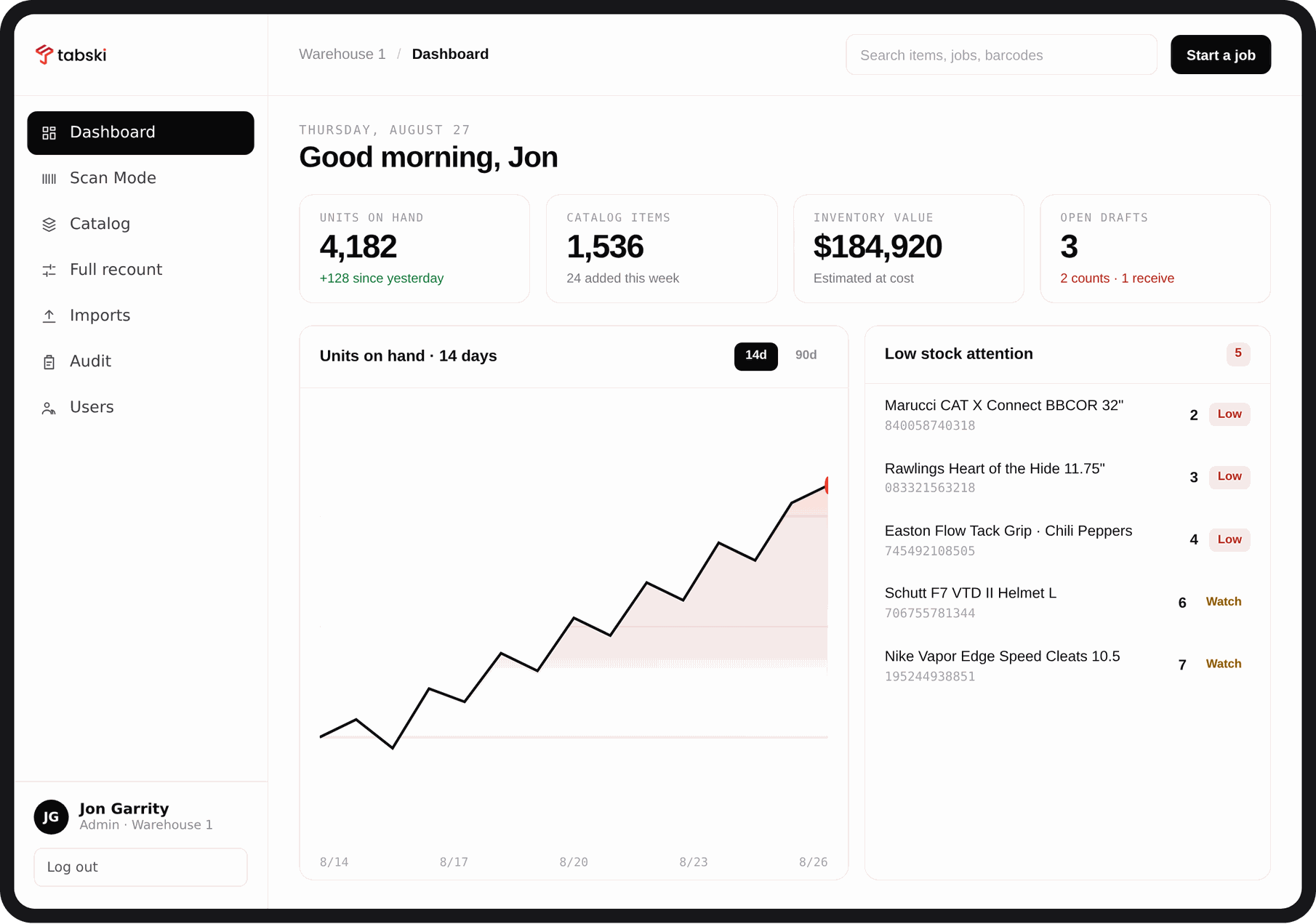
- Under 5 minTo count a shelf section with a phone instead of a clipboard
- ZeroQuantities written before someone confirms the change
- Every changeLogged with the person, the device and the delta
- One catalogBarcodes tied to the items you already sell in Tabski
Merch is where venue revenue quietly leaks
Food and beverage gets counted, costed and reported. Retail rarely does. Hats, jerseys, bats, gloves, cans to go and branded gear sit on a shelf with no reliable count behind them, so shrink hides, reorders happen late, and nobody can say what the floor is worth on a Tuesday morning.
Counts nobody trusts
A spreadsheet counted by two people on two nights is not a number you can order against. It is a guess with formatting.
Value you cannot see
Without cost basis attached to on hand quantity, retail never shows up in the same conversation as food cost or labor.
No trail when it goes wrong
When a count is off by twelve units, the useful question is who changed what and when. Most tools cannot answer it.
Built around how counting actually happens
Five screens, each one shaped by a job on the floor. Nothing to configure before the first count.
Scan the shelf, watch the deltas build
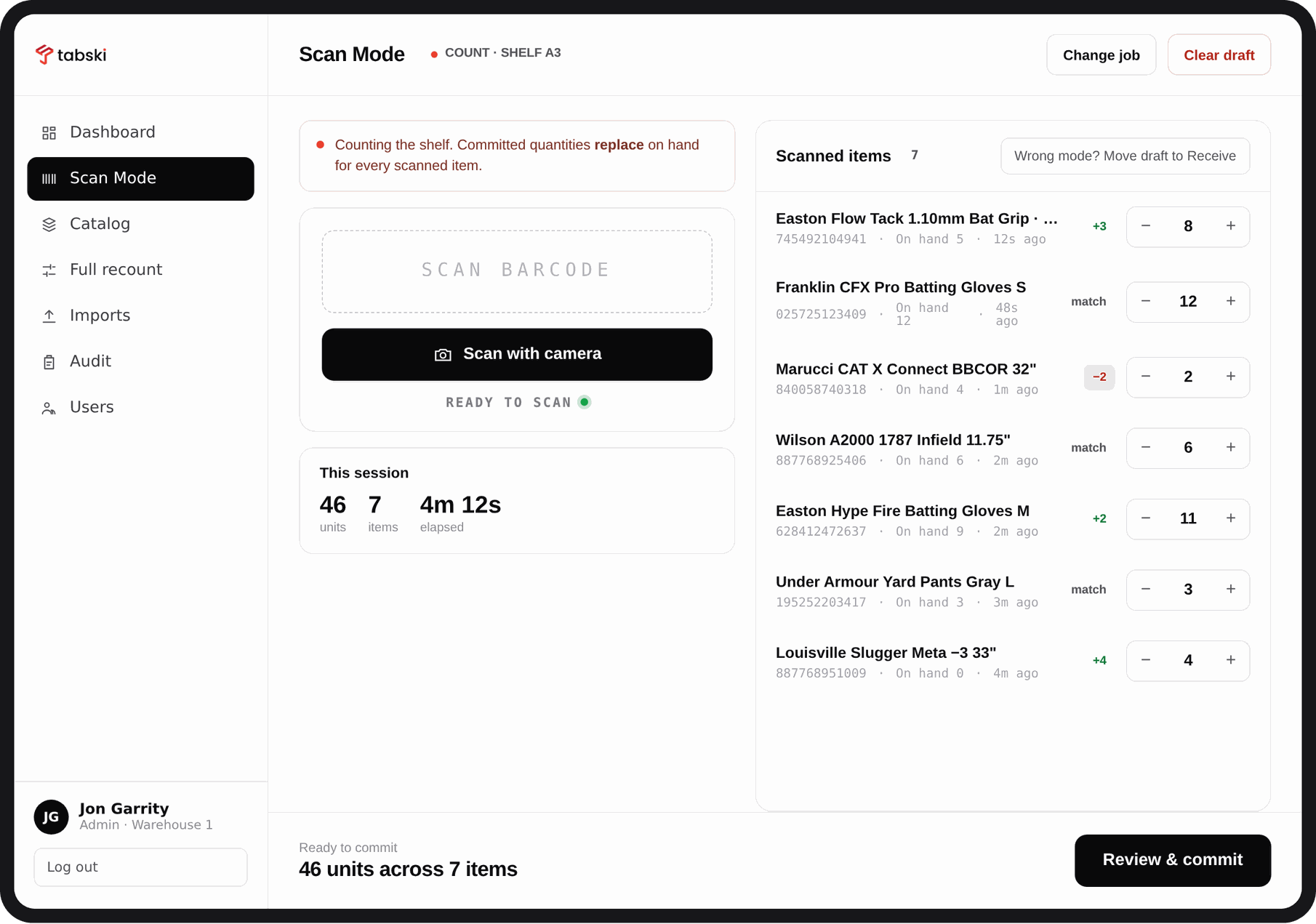
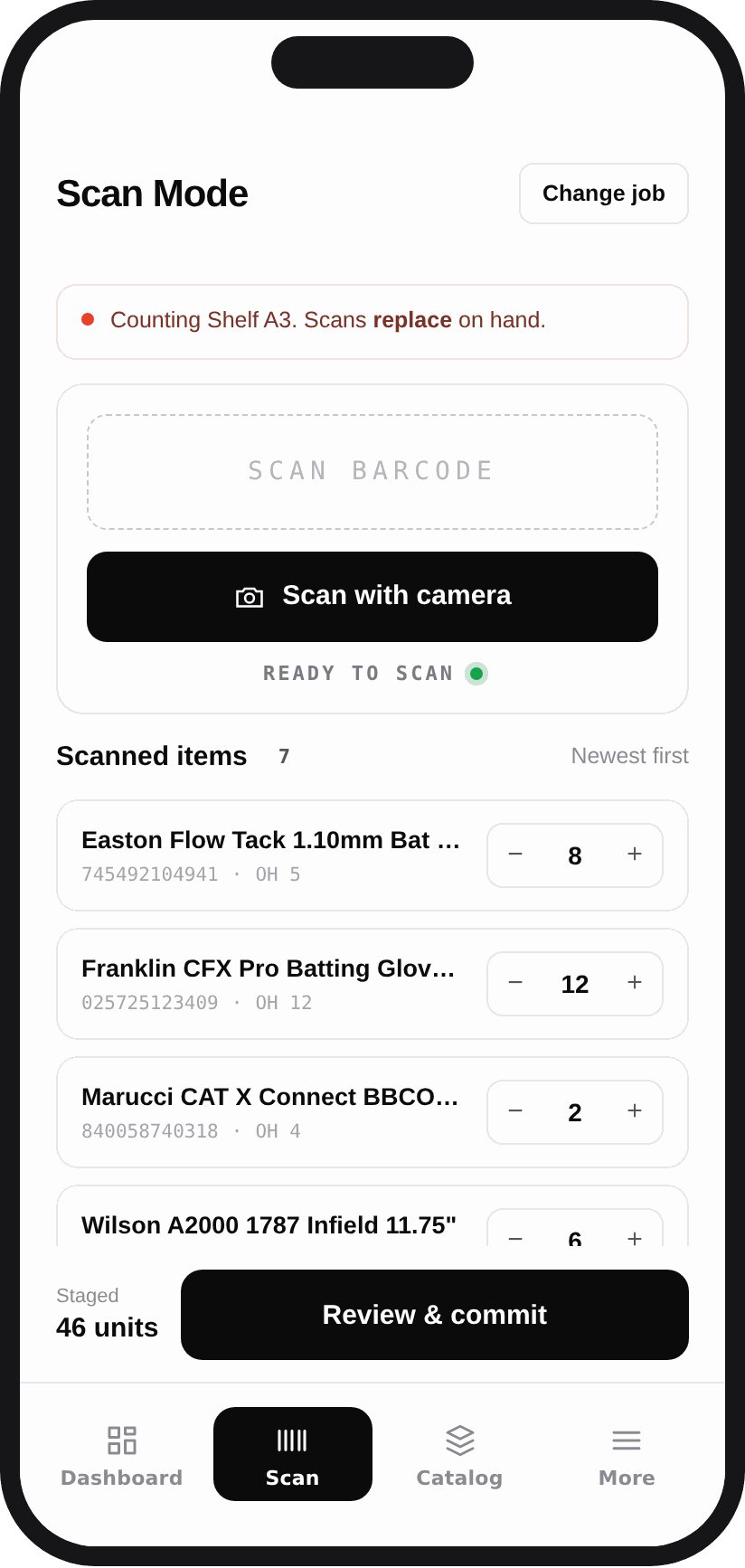
Open a job, pick count or receive, and start scanning. Count mode replaces on hand with what you scanned. Receive mode adds a delivery to current stock. The screen tells you which mode you are in before a single quantity moves, and a running session total shows units, items and elapsed time.
- Camera scanning on any iPhone or iPad, no sled required
- Every scanned row shows on hand, counted and the difference
- Steppers for the items that need a manual correction
- Wrong mode is a one tap conversion, not a restart
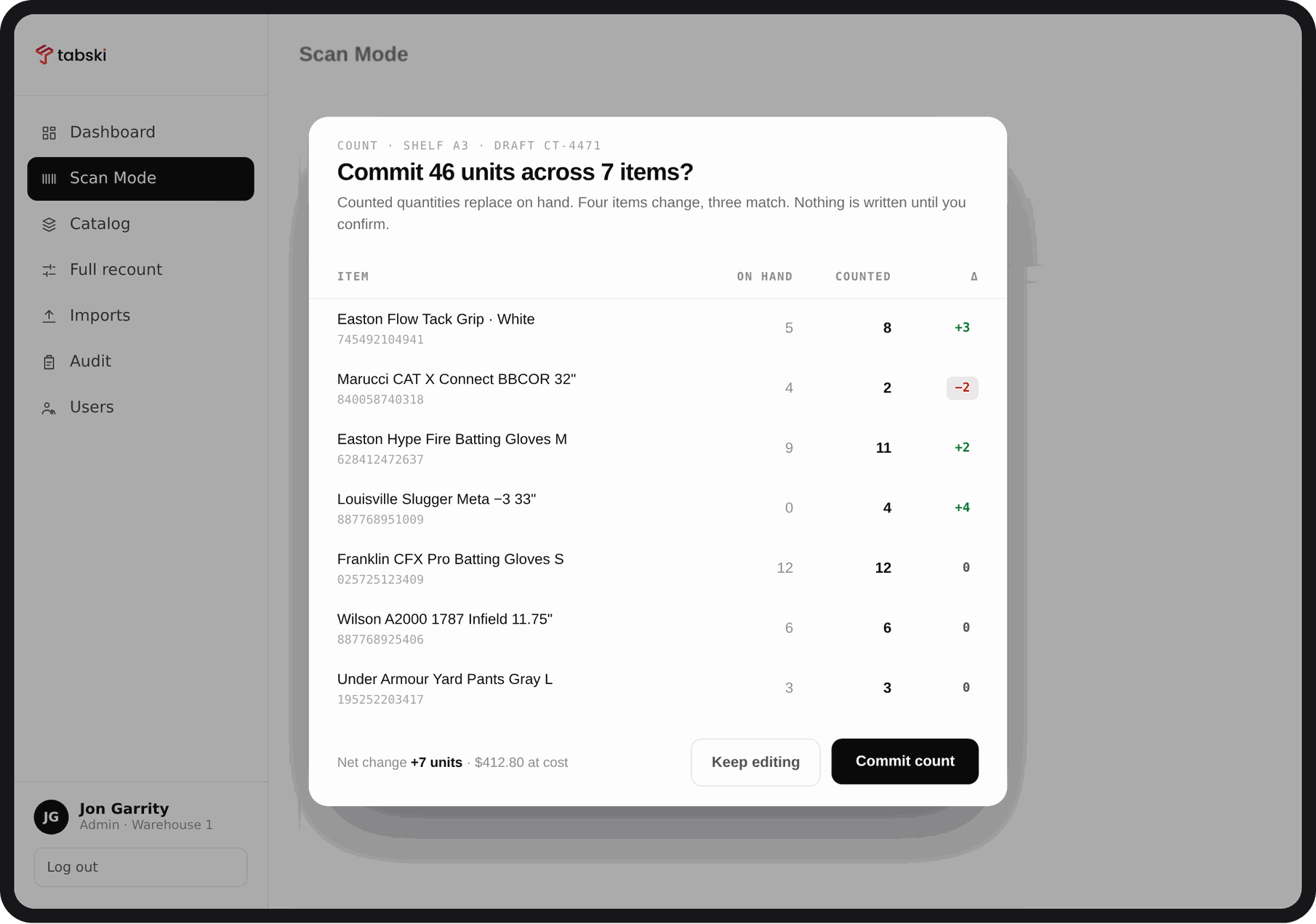
Nothing is written until somebody confirms it
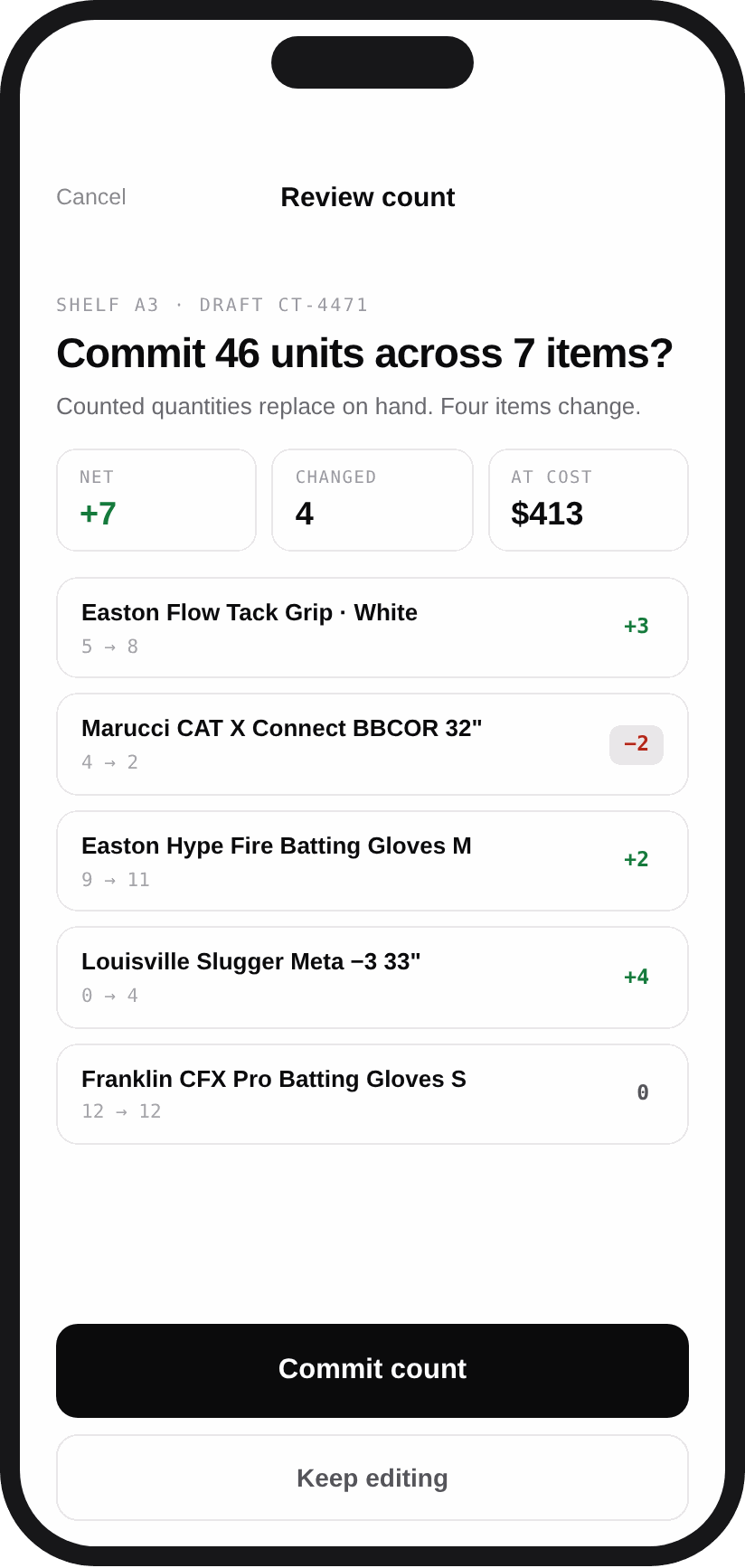
Before a count posts, Tabski shows the full diff. On hand, counted, and the delta for every line, plus the net change in units and the value of that change at cost. Approve it and the catalog updates. Keep editing and nothing has moved. This is the step that turns a count into a number your GM will defend.
- Line by line diff with matched items called out
- Net change shown in units and in dollars at cost
- Commit or keep editing, never a silent write
- Drafts survive an interrupted count
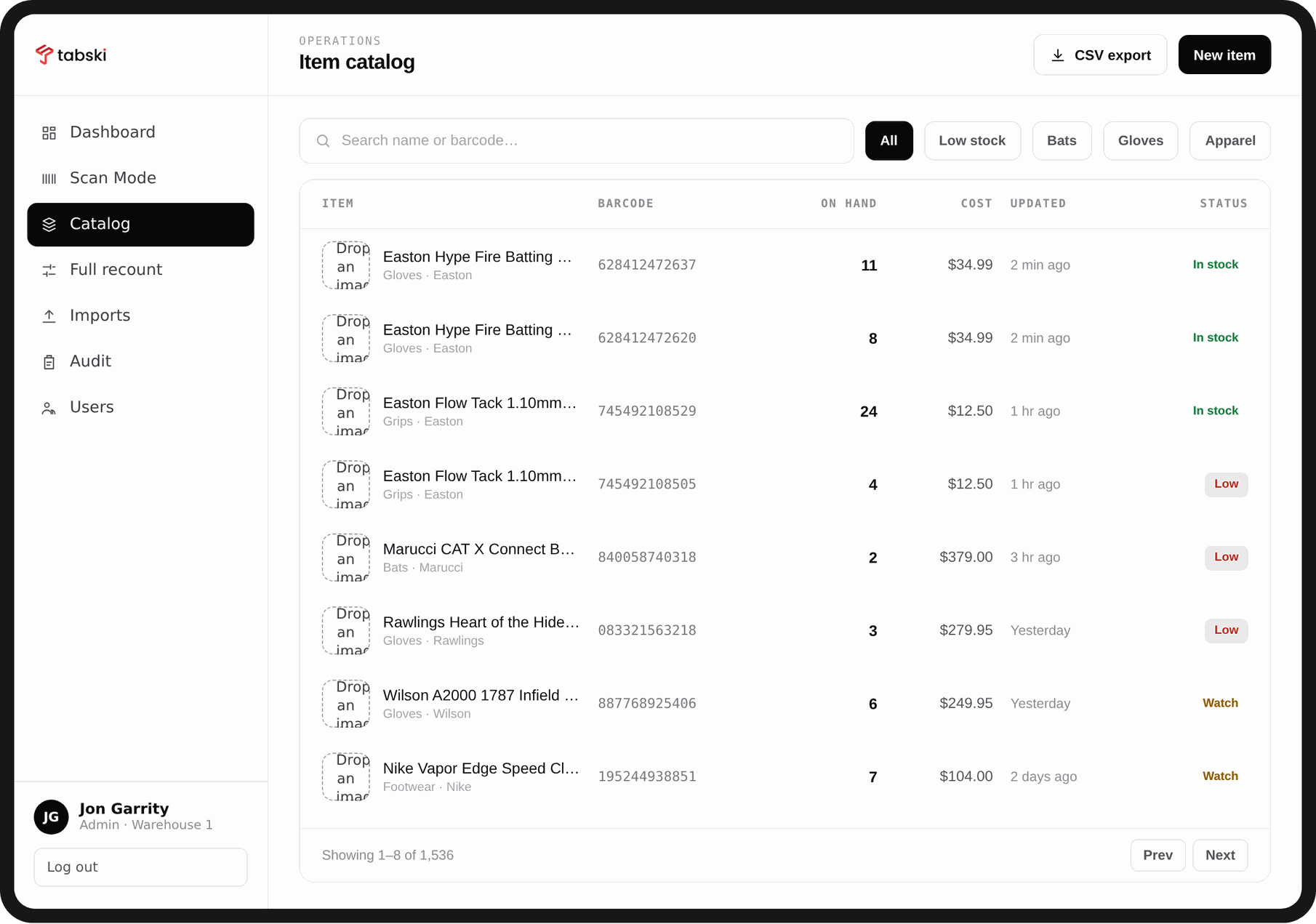
One catalog, barcodes attached to what you sell
Search by name or barcode, filter by category or low stock, and see on hand, cost and last update in one table. Sized items use tiered pricing in Tabski, so a medium and a large each carry their own count and their own price instead of hiding behind a modifier that never deducts correctly.
- Search across names and barcodes with instant filters
- Status at a glance: in stock, watch, low
- CSV export of whatever the current filter shows
- Sizes counted separately, the way retail actually works
Run a whole floor recount without closing
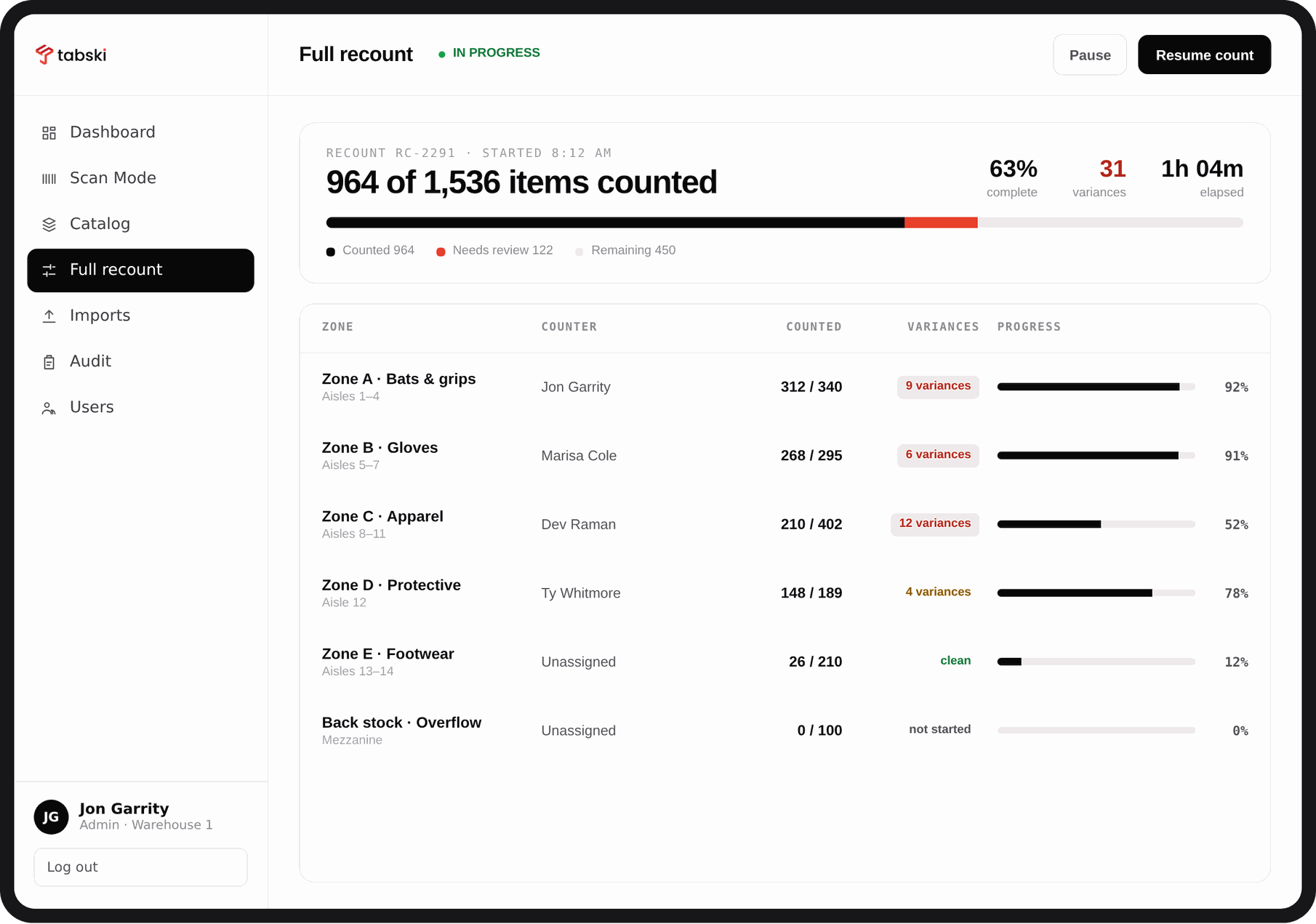
Split the room into zones, assign a counter to each one, and watch progress fill in live. You can see how many items are counted, how many variances have surfaced, and which zone is holding up the close. Pause and resume as the floor gets busy, then finish the recount when the rush passes.
- Zones by aisle, category or stockroom
- Live progress with counted, needs review and remaining
- Variance count per zone so you know where to look
- Pause and resume without losing a single scan
Who changed what, by how much, on which device
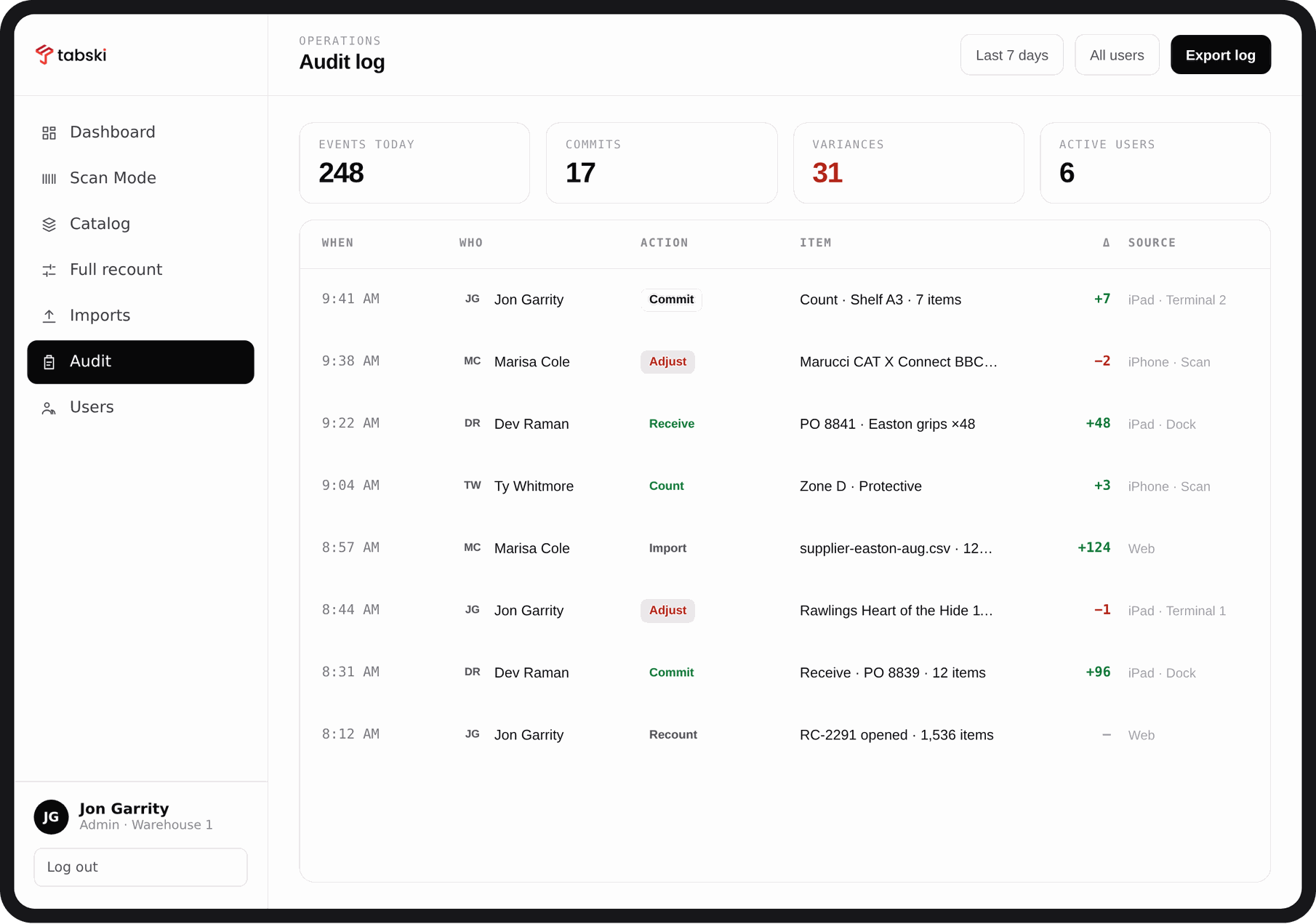
Every commit, receive, adjustment, import and recount lands in one log with a timestamp, a person, the item, the delta and the source device. When a number looks wrong, you stop guessing and start reading. Filter by date range or user and export the log when finance asks.
- Full event history with the delta on every row
- Filter by last 7 days, custom range or individual user
- Source device recorded on each entry
- Export for finance, insurance or an annual count
The counter is already in their pocket
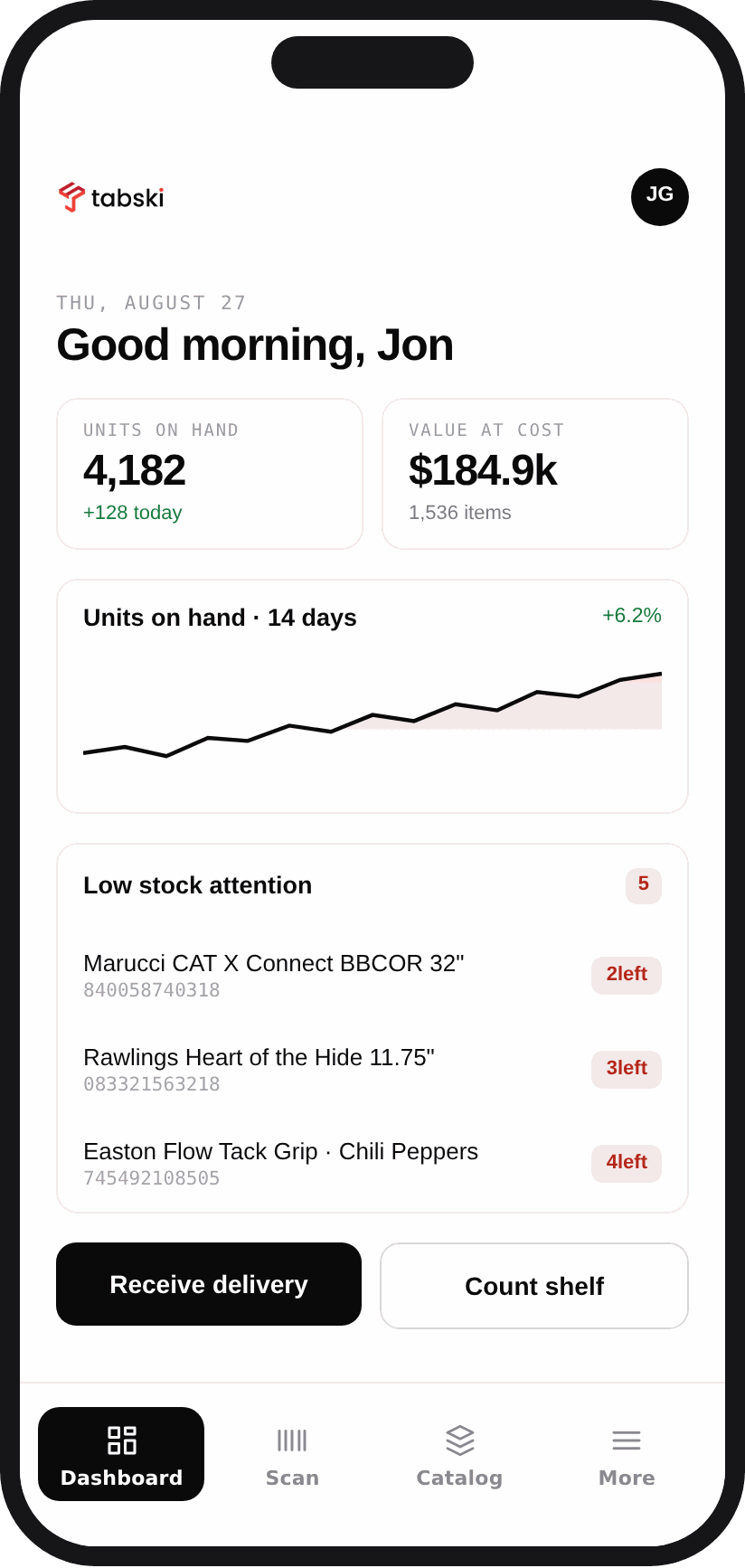
Staff count on an iPhone with the same jobs, the same review step and the same audit trail as the tablet. Managers get the tablet view in the office. Nobody buys a scanner gun.
Live in an afternoon
Most venues load a catalog, scan a first shelf and commit a real count on the same day.
Load the catalog
Upload your items with cost and barcode, or pull the catalog you already sell through Tabski.
Set your locations
Name the shelves, aisles and stockrooms you count against so a job always has a place attached.
Count a first shelf
Open scan mode, work one section, review the diff and commit. That is the whole loop.
Receive on delivery
Scan freight in as it lands. Receive mode adds to stock and the audit log records who took it in.
Any venue with a shelf behind the counter
- Food halls and food courtsHouse merch, branded glassware and packaged goods sold across a shared counter, counted centrally instead of vendor by vendor.
- Breweries and taproomsCans to go, growlers, shirts and hats. Track packaged product separately from what pours through the taps.
- Stadiums and pro shopsBats, gloves, helmets, cleats and apparel in sizes, each size carrying its own count and its own price.
- Dog park bars and entertainment venuesLeashes, toys, treats and branded gear that move all week and never make it onto a count sheet.
Retail inventory questions operators ask
Do I need a barcode scanner gun?
What happens if an item has no barcode?
How is this different from counting inventory in a spreadsheet?
Does it work with the items I already sell through Tabski?
Can two people count at the same time?
How do I handle a delivery that lands mid shift?
What does it cost?
Count the shelf. Trust the number.
See a real count run end to end on your own catalog, from first scan to committed change, in about twenty minutes.