
Dynamic Pricing
Raise Prices at Peak. Drop Them for Happy Hour. All on Auto.
Demand is not flat and your pricing should not be either. Tabski Dynamic Pricing lets you schedule automatic price adjustments by item, category, day of week, and time of day so your venue earns more when it is busy and drives traffic when it is slow.
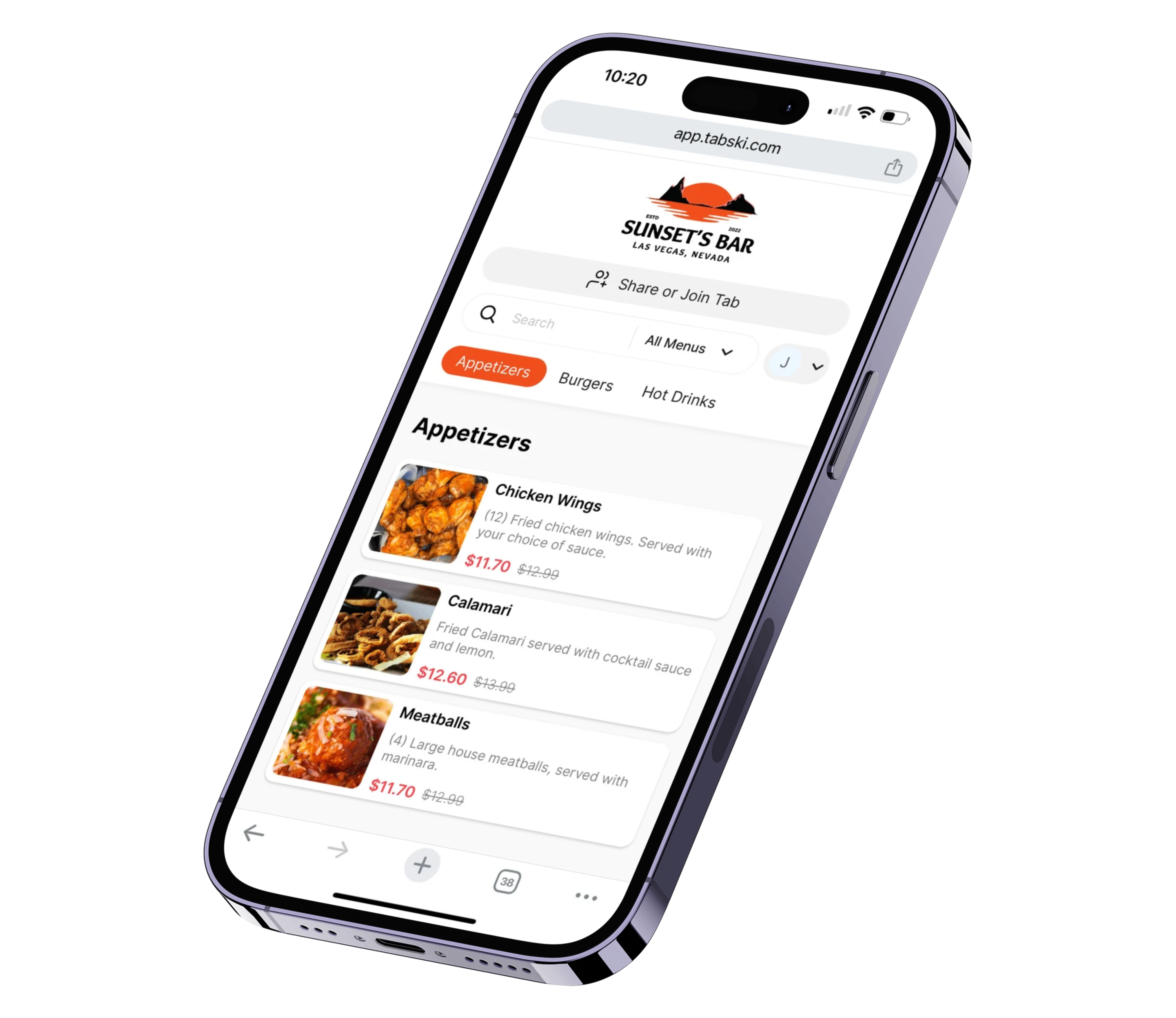
Most Venues Leave Money on the Table Every Busy Night
Pricing That Adapts to What Is Happening on Property
Dynamic Pricing is built for real scenarios. You can make small adjustments on a single category or bigger changes across specific items when demand spikes or falls.
Sporting Events
Increase pricing on high-demand items like drafts, seltzers, and wings during game windows. Capture the revenue the crowd is willing to spend.
+5% to +12% on select itemsHappy Hour
Lower pricing on cocktails or appetizers to pull in guests during slower afternoon and early evening periods when you need volume more than margin.
-10% to -20% on cocktails and appsPeak Hour Surge
Raise prices on limited-capacity items when lines are long and demand is at its highest. Friday night, Saturday evening, post-concert rush.
+3% to +8% on premium itemsConcerts and Events
Create a dedicated pricing playbook for recurring events like monthly concerts or weekly trivia nights. Set it once and it runs every time.
Repeatable event rules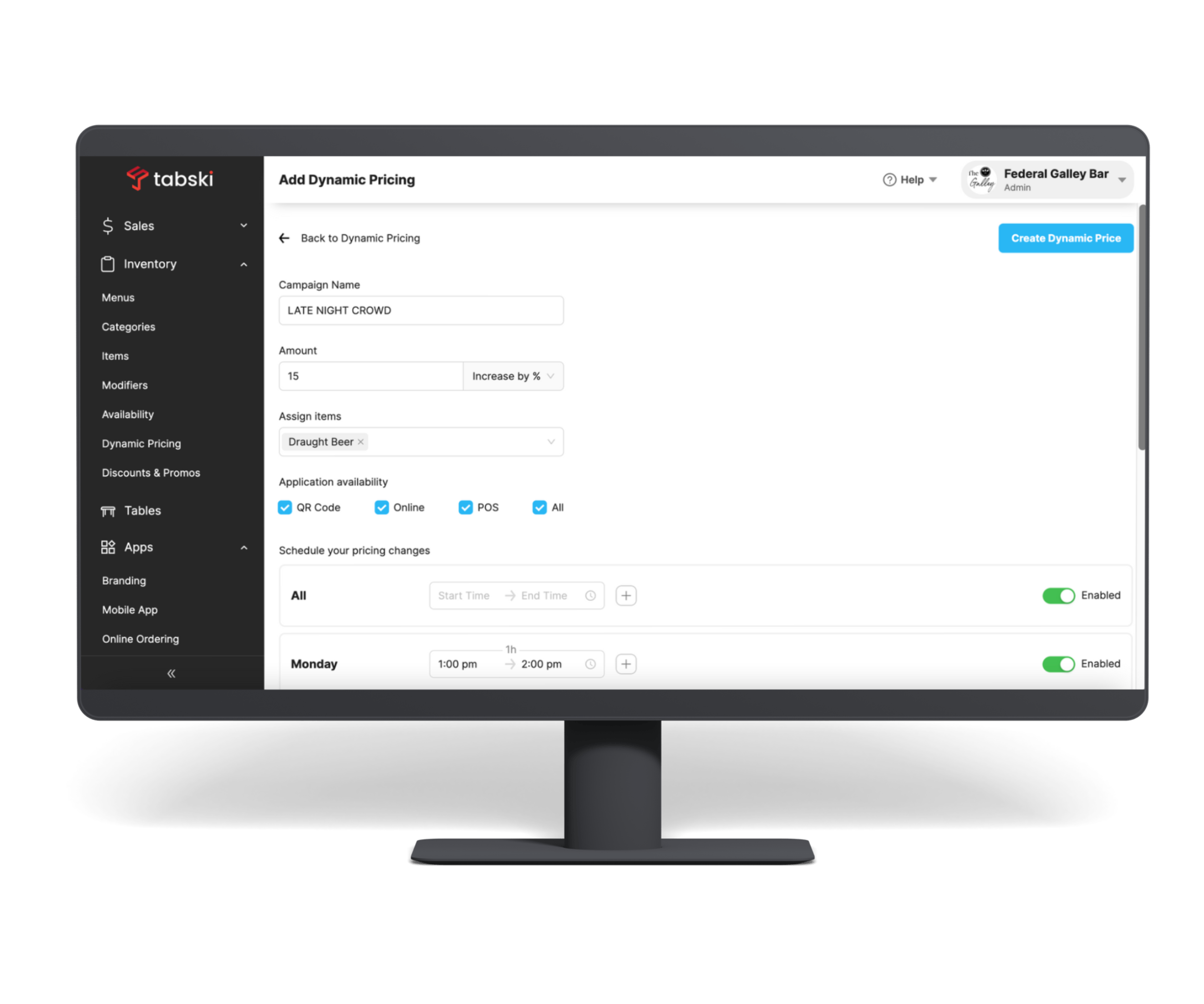
Set a Schedule Once and Let It Run
You define a pricing rule, choose which items or categories it applies to, set the days and time window, and Tabski handles the rest. Prices update at the exact moment the schedule dictates and revert automatically when the window closes.
No one on your staff needs to remember to flip a switch, change a menu, or update a tablet. The rule runs in the background across every ordering channel including POS, QR, and online ordering simultaneously.
You can stack multiple rules, run different ones on different days of the week, and build an entire library of event playbooks for recurring scenarios.
Four Ways to Configure a Pricing Rule
Every venue is different. Tabski gives you enough flexibility to match how your business actually operates without requiring complex setup.
Target just the items that spike in demand. Drafts and seltzers during a game, a signature cocktail during an event, or a specific food item during a promotion.
Adjust a full category like cocktails, appetizers, or premium entrees for a defined window without having to select items one by one.
Set a start and end time and Tabski activates and deactivates the pricing change automatically. No staff action needed at any point.
Build a saved rule set for recurring events like weekend game days or monthly concerts and reuse it without reconfiguring anything each time.
One Rule Applies Everywhere Guests Order
When a pricing rule activates in Tabski, it applies simultaneously across your POS terminals, QR ordering, online ordering, and any integrated delivery channels. You do not set a rule in four different places.
This matters especially in food halls and multi-vendor venues where guests switch between ordering at a counter and ordering from their phone at a table. The price they see is always consistent with what you intended for that time window.
Reporting captures what was sold under each pricing rule so you can measure whether your happy hour is actually driving volume or whether your event surcharge is holding steady with guests.

Everything Built Into Dynamic Pricing
Scheduled Price Changes
Rules activate and deactivate on the exact schedule you define. Set a happy hour window from 3 to 6pm, Monday through Friday, and it runs every week without anyone touching it.
Item and Category Targeting
Apply a rule to one specific item, a curated group of items, or an entire category. You never have to change items you do not want touched.
Day-of-Week Scheduling
Different rules for different days. Weekend game-day pricing on Saturday and Sunday, standard pricing Monday through Thursday, and a happy hour rule on Friday afternoons.
Repeatable Event Playbooks
Save a rule set for a recurring event and activate it again with a single tap. No rebuilding the same configuration every week for the same game-day setup.
Rule-Level Reporting
See exactly what sold under each pricing rule so you know whether your happy hour is pulling in volume and whether your peak-hour pricing is holding or pushing guests away.
No Menu Reprints
Pricing updates digitally across every channel automatically. QR menus, POS screens, and online ordering all reflect the current rule in real time with no staff intervention required.
Dynamic Pricing: Common Questions
What is dynamic pricing for restaurants and food halls?
Dynamic pricing is the ability to automatically adjust menu prices based on time of day, day of week, or specific events without manually changing the menu each time. In Tabski, you set a schedule and a price adjustment, and the system activates and deactivates it automatically. This lets operators capture more revenue during high-demand periods and drive traffic with discounts during slow ones.
How do I set up a dynamic pricing rule in Tabski?
You define a rule by selecting the items or categories you want to adjust, setting the percentage increase or decrease, and choosing the days and time window when it should apply. Tabski handles everything from there. The rule runs on schedule across all your ordering channels and you can edit, pause, or delete it any time from the operator dashboard.
Does dynamic pricing apply to QR ordering and online ordering or just the POS?
It applies everywhere simultaneously. When a pricing rule is active in Tabski, guests see the adjusted prices whether they are ordering at the POS counter, scanning a QR code at their table, or placing an order online. You configure it once and it applies across every channel.
Can I run different pricing rules on different days of the week?
Yes. You can schedule rules for specific days of the week, meaning a game-day surcharge runs only on Saturdays and Sundays while a happy hour rule runs every weekday afternoon. Rules can overlap as long as they apply to different items or categories, and you can build a library of saved playbooks for recurring events.
Will guests see the adjusted price before they order?
Yes. The updated price is displayed on every ordering surface including QR menus, online ordering pages, and POS screens so there are no surprises at checkout. Pricing is always visible and accurate to whatever rule is currently active.
Is dynamic pricing good for food halls specifically?
It works very well for food halls. Operators can raise prices on high-demand vendors or item categories during peak periods while leaving other vendors at standard pricing. Each vendor's pricing can be managed independently so a brewery stall can run a happy hour special without touching a neighboring food stall's prices at all.
See Dynamic Pricing in Action
Join operators who have stopped leaving money on the table during busy nights and started filling seats during slow ones, all without touching a menu or retraining staff.