
Dog Park Bar POS
Dog Park Bar Software That Runs the Gate, the Memberships and the Bar
Park runs the operational side of your dog park bar. Owner and dog records, waivers, vaccination compliance, occupancy, and recurring memberships all sit behind one check in screen. Then it connects into Tabski POS and mobile ordering, so membership revenue and bar sales land in the same report.
Four Things Have to Work Every Day at a Dog Park Bar
Park was built around the four jobs operators told us they were solving with spreadsheets, a waiver app, a billing tool and a POS that knew none of it.
Nobody enters without valid records
Vaccinations, waivers and payment status are evaluated the moment a name is searched, with a plain reason when entry is held.
Memberships renew without staff chasing cards
Cards live on file, renewals run on schedule, failed charges retry, and expiring cards get flagged before they cost you a member.
Guests order without leaving the yard
Tabski mobile ordering is embedded in the member app, so a checked in guest is one tap from a drink order and an open tab.
One number for the whole business
Park charges post into Tabski reporting as catalog items, so dues, day passes, food and beverage settle and report together.
The Gate, the Memberships and the Bar in One System
Everything on this page is the same platform. No integrations to babysit, and no guest who exists in one tool but not the other.

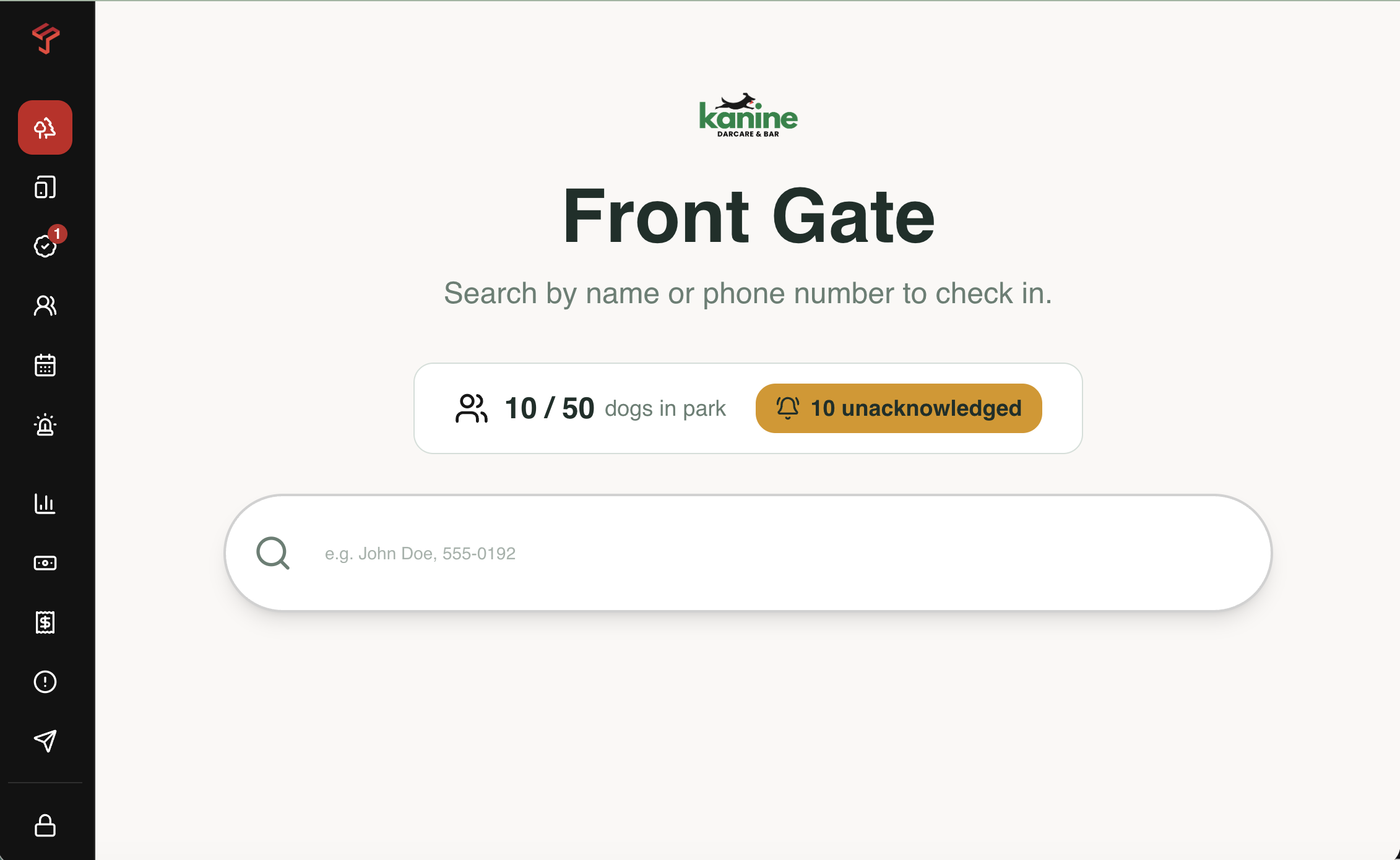
One Search Tells Staff Whether the Dog Goes In
Type a name or phone number and Park returns the household, every dog on the account, and a single status. No flipping between a waiver inbox, a vaccine folder and a billing dashboard while a line builds behind the gate.
Vet Records Stop Being a Shoebox of Photos
Owners upload documents from their own phone before they arrive. Park queues them for verification, reads the expiration date onto the dog record, and starts counting down.
Households With Multiple Dogs
One owner account holds every dog. Each dog carries its own records and its own eligibility, while the waiver, the membership and the card on file stay at the household level.
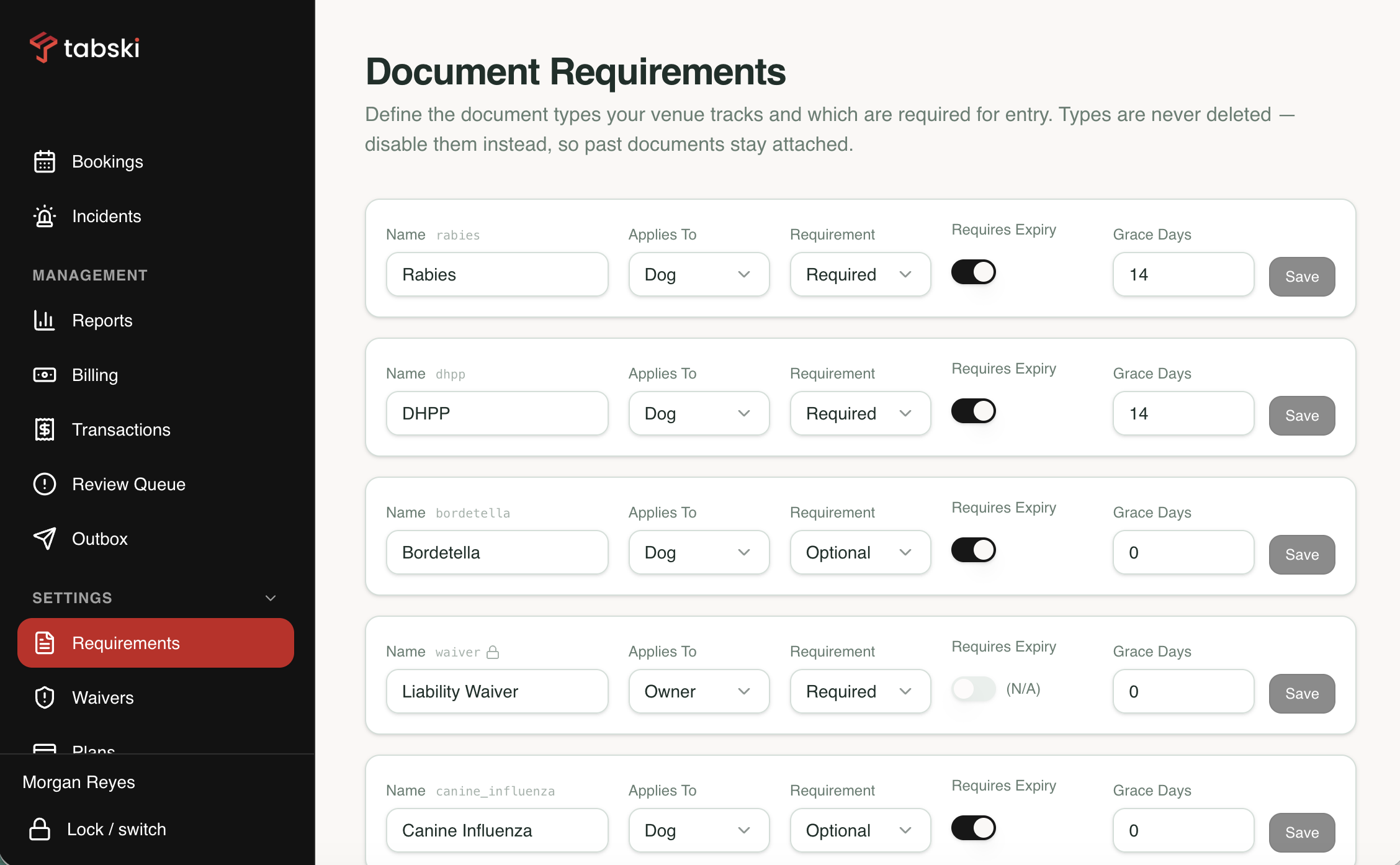
You Choose Which Documents Are Required
Document types are configured per venue. Require rabies only, add DHPP and bordetella, or require a spay and neuter record. Park enforces what you turn on.
Verification Queue
Uploaded records land in a queue for staff to approve or reject with a reason. Nothing counts as valid until a person or the parser has cleared it.
Expiration Reminders
Text and email reminders go out before a record lapses, so owners re upload on their own time instead of arguing at the gate on a Saturday.
Incident and Behavior Notes
Log an incident against the dog and the visit. Notes surface at the gate on the next check in, so a bite history is not something one bartender happens to remember.
Emergency and Vet Contacts
Emergency contact and veterinarian sit on the owner record, so the information is one search away when something happens in the yard.
Waivers You Can Actually Defend Later
Park ships liability and dog behavior templates you copy to your venue, edit and publish. Every published waiver is versioned and immutable, so the record shows exactly which language a guest agreed to and when.
System templates are generic drafts. Park recommends your own counsel review any waiver before you publish it for your venue.
Active waivers with version history, plus system templates to copy and edit.
Memberships That Renew Instead of Quietly Churning
Membership revenue is the reason the model works, and it leaks in the same three places at every park: cards that expire, charges that fail, and members who keep getting in anyway. Park closes all three.
Plans You Build Yourself
Monthly, annual, multi dog and day pass pricing, configured by you. Tax inclusive or tax exclusive, whichever matches how you already price.
Sold on the Guest Phone
Staff fire a text from the tablet and the guest stores their own card. Your team never handles a card for a membership, and no terminal sits at the gate.
Failed Payment Blocks Entry
A failed charge retries and notifies the member, and the gate holds until it clears. No more members using the yard for months on a dead card.
Expiring Card Alerts
Park flags cards about to expire and prompts the member to update before the renewal date, so a routine reissue does not end the relationship.
Pause and Resume
Snowbird season, a surgery, a move. Pause a membership with an end date instead of cancelling and hoping they come back in the spring.
Day Passes at the Bar
Guests who will not use a phone still get in. Staff ring the day pass on the Tabski POS or hand key it on the tablet, and it lands on the same guest record.
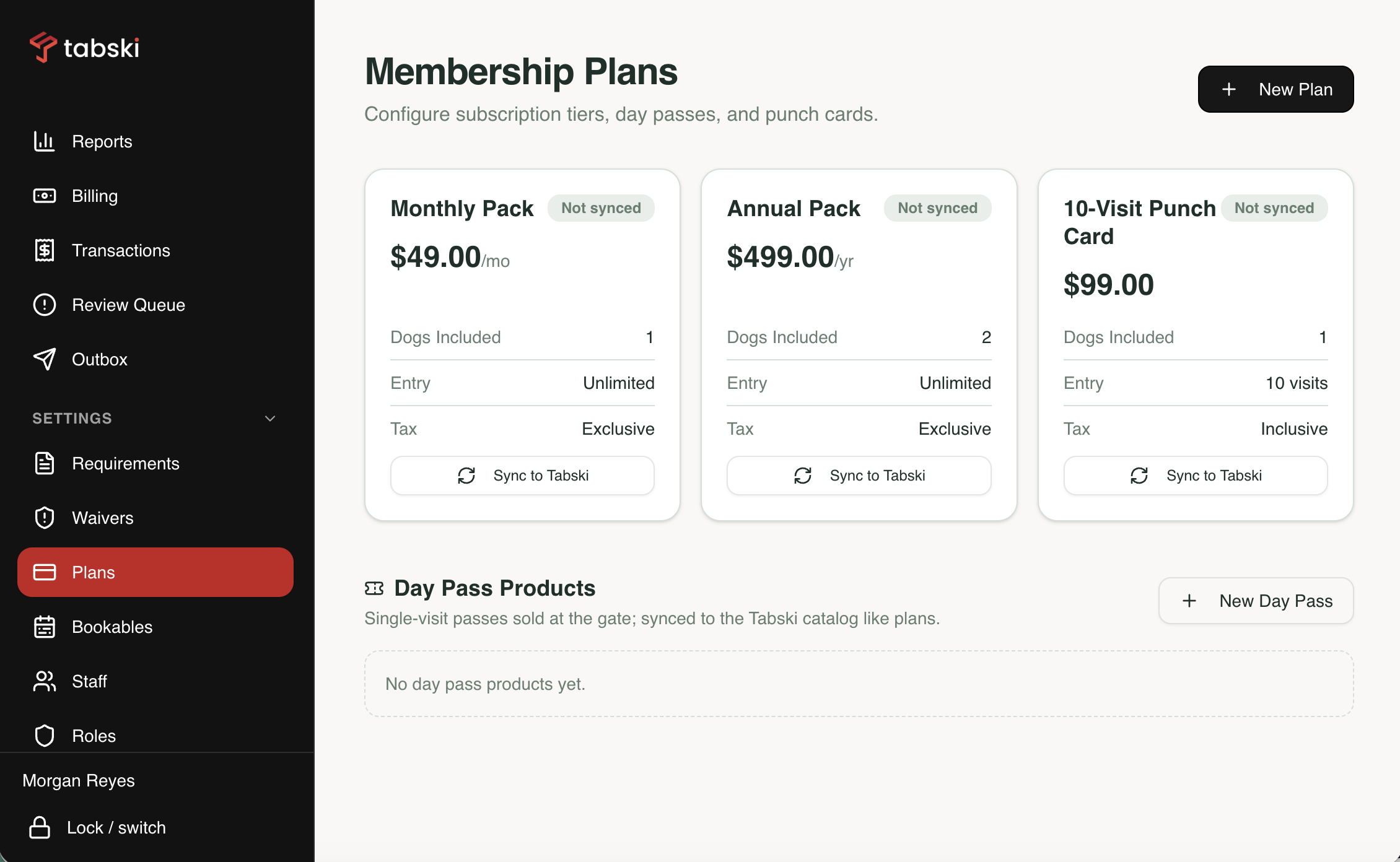
Membership plans with cards on file, scheduled renewals and failed payment recovery.
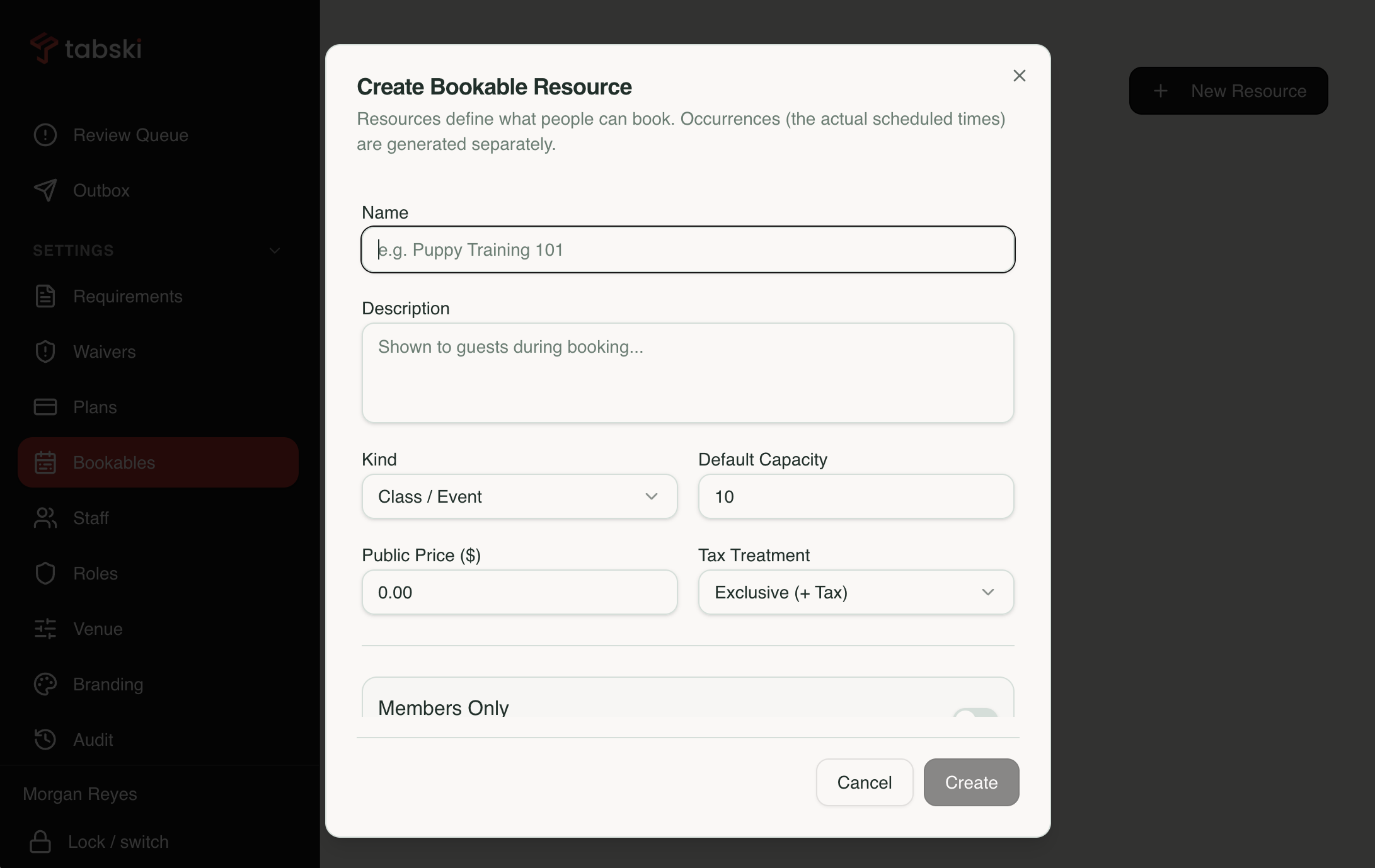
Guests book grooming, daycare and other services on the same account.
Grooming, Daycare and Services Book Themselves Online
A dog park bar is rarely just a bar. Members book grooming, daycare, training and events from the same account and the same card on file, so a service booking is one more line in your day instead of another tool to reconcile.
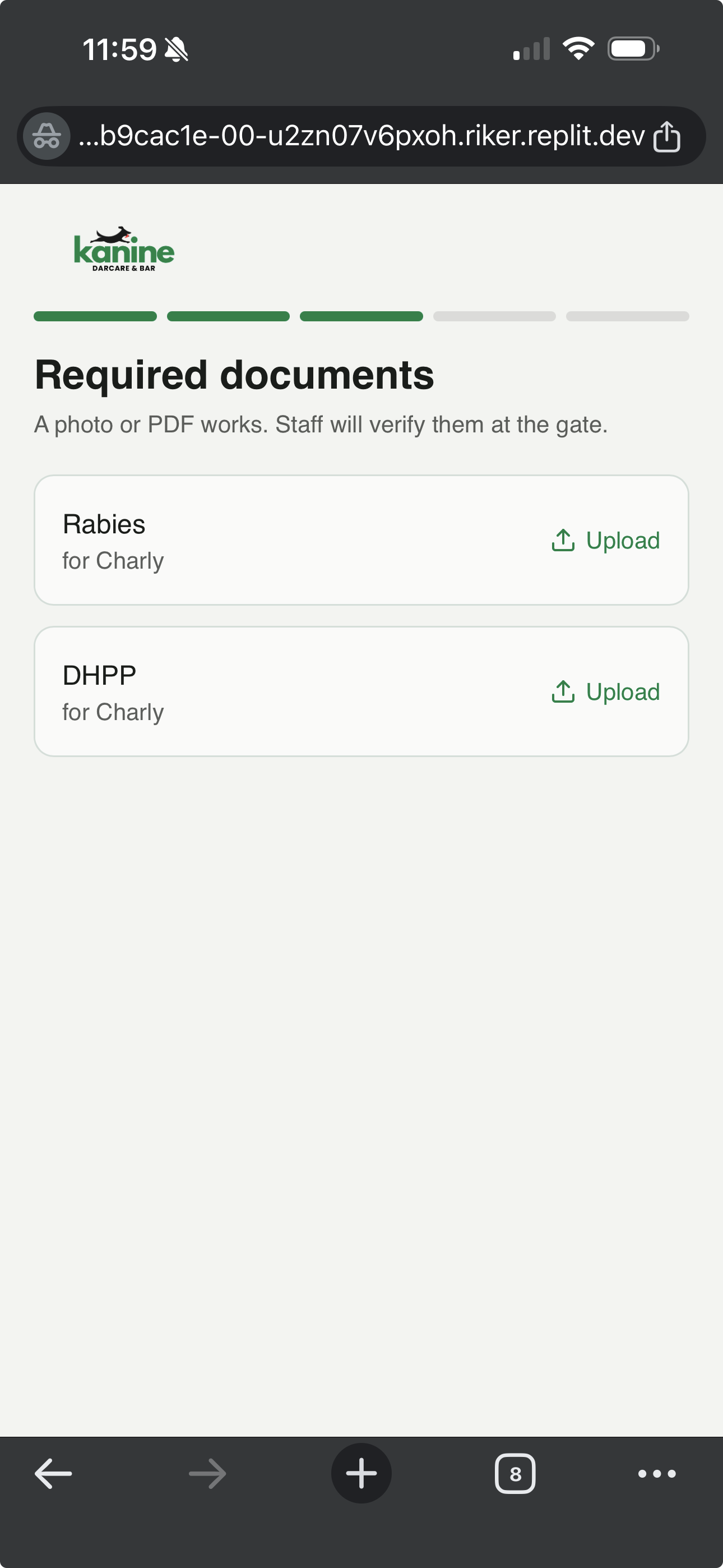
Tabski ordering embedded in the member app. Same phone number, same guest.
Checked In Guests Are One Tap From an Order
Tabski mobile ordering is embedded directly in the member app. A guest who just checked in sees Order Now, orders from the middle of the yard, and keeps a tab open. Repeat members get the ordering link the moment they check in.
Park keys the guest account on their phone number, and Tabski already links phone numbers from the POS to the mobile ordering identity. The person at your gate and the person on the tab are the same record, so nobody registers twice and staff can find a guest either way.
Ordering zones that work with Tabski
Dues, Day Passes, Food and Beverage in the Same Report
Every Park charge posts back into Tabski reporting as a catalog item, carrying its revenue center, category and tax treatment. Membership dues do not sit in one tool while beer sales sit in another and someone reconciles them on Sunday night.
Revenue
- Recurring membership dues by plan
- Day pass sales by channel, phone or POS
- Bar and food revenue by zone and daypart
- Vendor sales with separate settlement
- Taxes handled as your items are configured
Members
- Active, paused and lapsed counts
- Renewals and failed payment recovery
- New signups by source
- Cards expiring in the next cycle
- Manual grants and comped entries
Operations
- Attendance and peak occupancy by day
- Check in and check out history
- Documents pending or expiring
- Gate overrides by staff member
- Insert only audit log of settings changes
Park owns the billing schedule and Tabski owns each transaction, which means recurring revenue shows up in the same batch and the same deposit as the rest of your day.
Guests See Your Park, Not Your Software Vendor
Upload your logo, set your colors, and the signing pages, receipts and member area carry your identity. Contrast is checked so your palette never makes text unreadable on a phone in the sun.
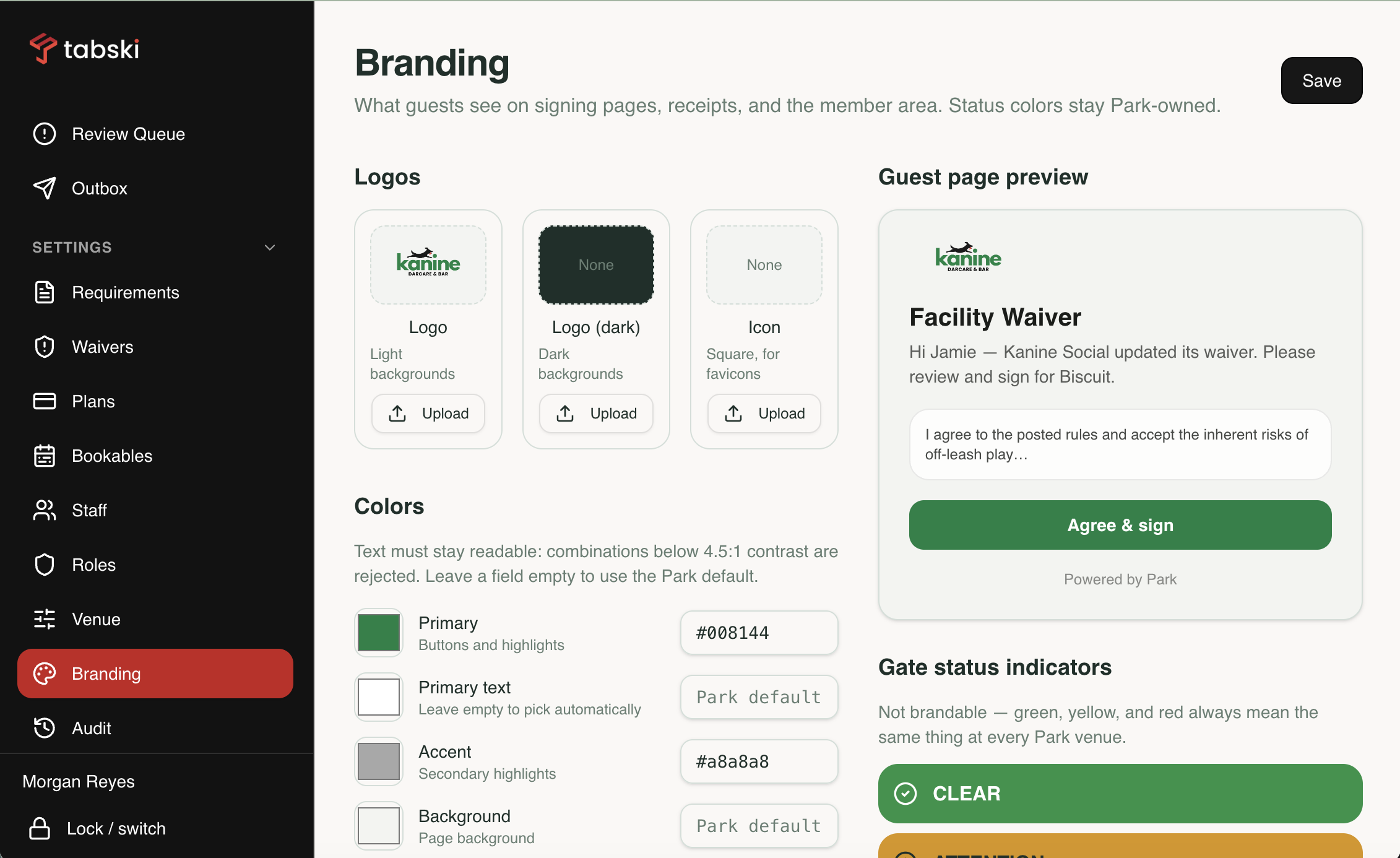
Your logo and colors on the guest signing page. Status colors stay standard.
A Dog Park Bar Is Two Businesses Sharing a Fence Line
Pet software stops at the gate. Restaurant software starts at the bar. Park is the only place both sides share one guest record.
Memberships, waivers, records and check in live in four tools
Staff bounce between a spreadsheet, a waiver app, an inbox and a billing dashboard just to decide whether a dog can walk through the gate.
Vaccination records expire and nobody notices
An expired rabies record is a liability exposure that only surfaces when something goes wrong in the yard.
Failed cards turn into free memberships
When billing is disconnected from access, a declined card becomes a manual follow up that nobody makes, and the member keeps using the park.
The park system and the bar POS do not know each other
A member checks in on one platform, then becomes an anonymous walk in at the bar. Two reports, two deposits, no picture of what a member is worth.
Where the Two Categories Stop
Pet business platforms handle the gate well. Restaurant POS platforms handle the bar well. A dog park bar needs both sides on one guest record and in one report.
| Capability | Park by Tabski | Pet business software | Square | Toast | Clover |
|---|---|---|---|---|---|
| Owner and dog profiles, multiple dogs per household | ✓ Native | ✓ | ✗ | ✗ | ✗ |
| Digital waivers with immutable version history | ✓ Native | Waivers, versioning varies | ✗ | ✗ | ✗ |
| Vaccination records with expiration and entry hold | ✓ Native | ✓ | ✗ | ✗ | ✗ |
| Recurring memberships with card on file | ✓ Native | ✓ | Separate product | Not tied to entry | Add on app |
| Self check in with no guest login required | ✓ | Portal login typical | ✗ | ✗ | ✗ |
| Occupancy cap and live in park board | ✓ | Varies | ✗ | ✗ | ✗ |
| Full service bar and food POS | ✓ Tabski POS | ✗ | ✓ | ✓ | ✓ |
| Open tabs synced between guest phone and POS | ✓ Smart Tabs | ✗ | ✗ | ✗ | ✗ |
| QR ordering anywhere on the property | ✓ | ✗ | Limited | Limited | ✗ |
| Food vendor orders in one cart with separate settlement | ✓ Built in | ✗ | ✗ Manual | ✗ Manual | ✗ Manual |
| Membership revenue and bar sales in one report | ✓ | Park side only | Bar side only | Bar side only | Bar side only |
| Audit log of overrides and settings changes | ✓ | Varies | Limited | Limited | Limited |
Pet business platforms like Gingr are payments capable, with stored cards, customer entered card details and autorenewal. The difference for a dog park bar is the food and beverage side: bar tabs, property wide ordering, vendor settlement, and one report that covers dues and drinks together.
Planning or Opening a Dog Park Bar
Startup planning, costs, revenue models and the concepts already operating around the country.
Park by Tabski FAQ
What is Park by Tabski?
Park is dog park bar software that runs the front gate and the membership program, then connects into Tabski POS and mobile ordering. Owner and dog records, waivers, vaccination compliance, occupancy, recurring billing, check in and reporting live in one platform instead of four.
Does the gate actually block entry, or just warn staff?
Both, and it is your setting. Park evaluates waivers, document expiration and payment status and returns clear, attention or hold with the reason. Enforcement mode is configured per venue, so you decide whether a hold is a hard stop or a prompt that a manager can override with a PIN. Every override is logged.
How does mobile ordering connect to the membership side?
Park keys the guest account on their phone number, and Tabski already links phone numbers from the POS to the mobile ordering identity. Tabski ordering is embedded in the member app, so a checked in guest taps Order Now and orders from wherever they are standing without registering a second time.
Where does membership revenue show up?
In Tabski reporting alongside your bar sales. Park charges post back as catalog items carrying revenue center, category and tax treatment, so dues, day passes, food and beverage report and settle together. Park owns the recurring schedule, Tabski owns each transaction.
Do my staff have to handle cards at the gate?
No. Memberships are sold on the guest phone. Staff send a text from the tablet and the guest stores their own card, so there is no terminal at the gate and your team never keys a card for a membership. Day passes can be rung on the Tabski POS for guests who will not use a phone.
What happens when a member card is declined or expires?
Park retries the charge and notifies the member. Cards approaching expiration are flagged before the renewal date. If the payment is not resolved, the gate holds entry, so a dead card stops being a free membership.
Which vaccinations can I require?
You choose. Document types are configured per venue, so you can require rabies only or add DHPP, bordetella and anything else your insurer or municipality asks for. Uploaded records go through a verification queue and carry expiration dates that drive reminders and gate status.
Can guests check themselves in?
Yes. QR codes on entry signage and on your website let guests complete the waiver, dog records, vaccination upload and payment on their own phone before they reach the front. Self check in admits immediately and staff acknowledge arrivals after the fact, with an unacknowledged count that has to be cleared.
Can Tabski handle a food truck or food vendor?
Yes. Guests order drinks from your bar and food from an on site vendor in one cart. Items route to the correct KDS, the guest checks out once, and the vendor is settled separately at batch with no manual split.
What does it cost?
Pricing depends on venue size, membership volume and which modules you turn on. See the pricing page or book a demo for a quote built around your property and vendor setup.
See the Gate, the Billing and the Bar in One Demo
Twenty minutes, your property layout. We will walk the front gate, a membership signup on a phone, an order from the yard, and the single report all of it lands in.