
Tip settings: optional card fee, payout and pools
Tip settings: optional card fee, payout and pools
Tip settings hold the rules for how tips are charged, paid out and pooled.
Steps
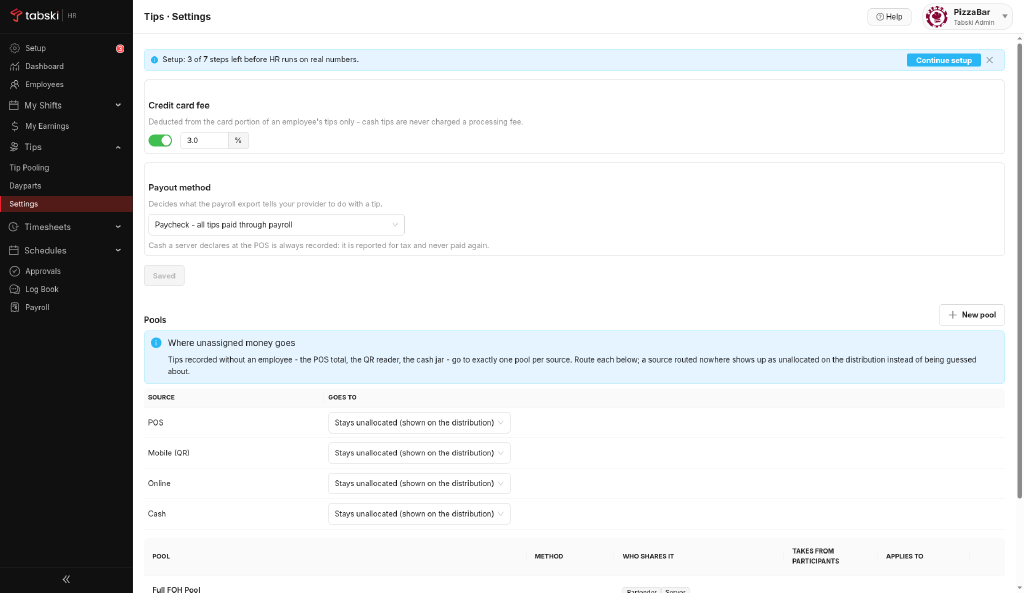
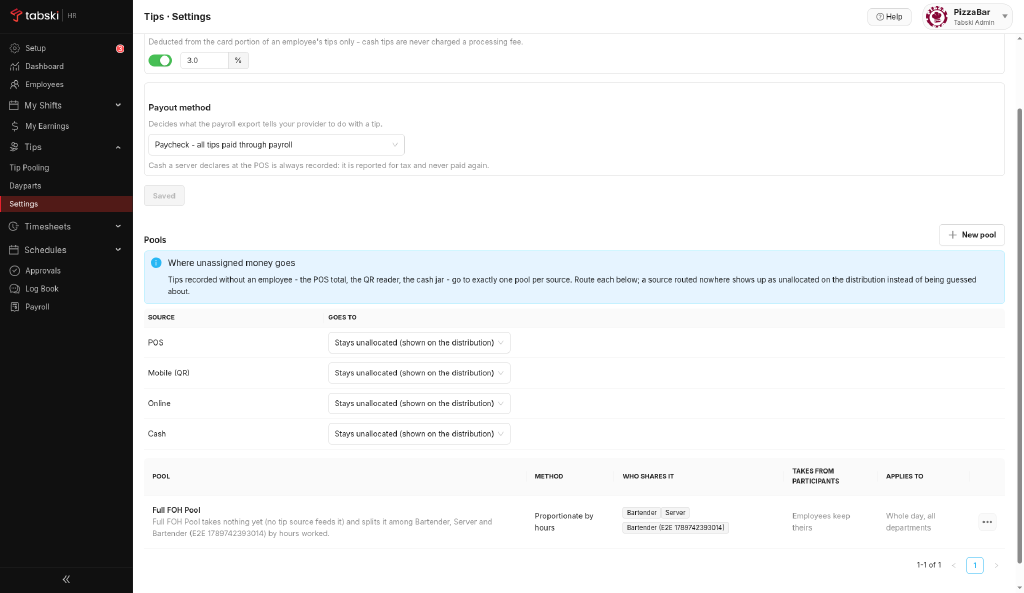
- Go to Tips → Settings.
- The Credit card fee is optional. Turn it on only if you pass processing fees through to card tips.
- Enter your fee percentage, for example 3.0%. It comes off the card portion of tips only. Cash tips are never charged.
- Confirm the payout method. With Paycheck, all tips are paid through payroll, and cash declared at the POS is recorded for tax and never paid again.
- Review or create a pool: name, split method (for example Proportionate by hours) and included roles.
- Save.
Some states restrict deducting card fees from tips, including California. Check your state’s rules before turning the fee on.
New to Tabski HR? See how it works with your restaurant and food hall POS on the Tabski HR page.