
Payroll with Gusto, ADP and Paychex exports
Payroll with Gusto, ADP and Paychex exports
Payroll is integrated through Gusto. Prefer another provider? Export to major payroll systems like ADP and Paychex. Hours, wages and tips flow in from timesheets and tip pooling.
Steps
- Go to Payroll. The Summary tab shows hours, overtime, tips and gross for the period.
- Pick the pay period with the Period dates.
- Open Compliance and set your state so overtime and tip credit rules apply.
- On the Gusto tab, click Connect Gusto to link your Gusto account.
- Using ADP, Paychex or another provider? Use the Exports tab instead.
- Review each employee row: hours, rate, wages, tips, tip credit, minimum wage makeup and gross.
- Click Approve period.
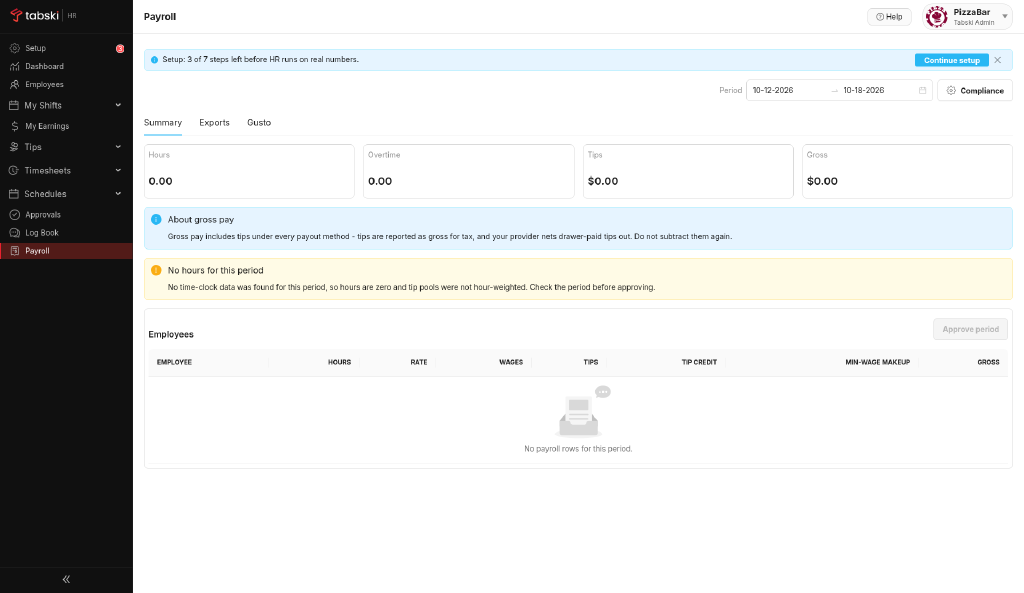
Gross pay includes tips under every payout method. Tips are reported as gross for tax, so don’t subtract them again.
Approve tip distributions and timesheets first so payroll runs on final numbers.
New to Tabski HR? See how it works with your restaurant and food hall POS on the Tabski HR page.