
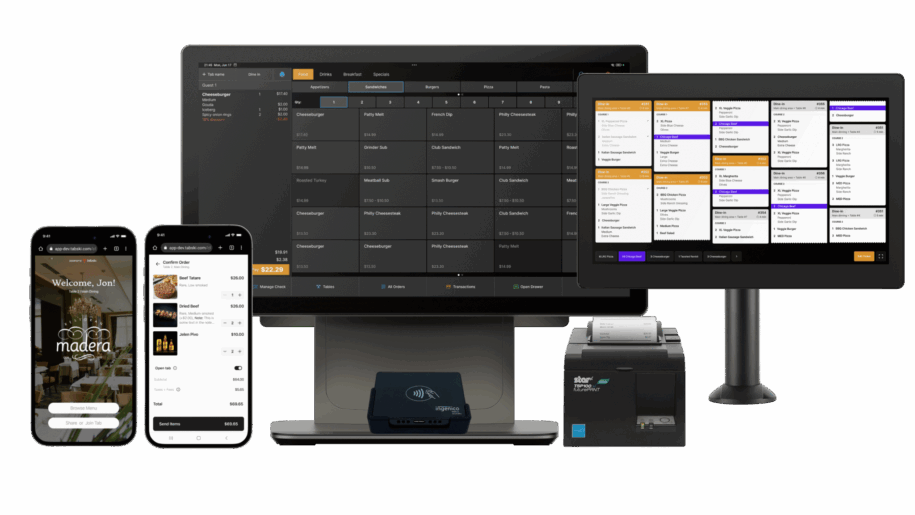
The must-have POS features for modern food halls: two-way tab syncing, multi-vendor mobile ordering, automated rent, KDS + SMS, line-busting tech, and delivery integrations.
Running a food hall isn’t like running a single-concept restaurant. You’re orchestrating dozens of menus, multiple fulfillment workflows, a bar with open tabs, and a landlord who needs clean, automated payouts without slowing guests down. The right POS should be purpose-built for that complexity. Here are the mission-critical features to demand (and why they matter).
1) Two-Way Tab Syncing for Bars (Truly Connected Bar Tabs)
What it is:
Live, two-way synchronization between the POS and mobile tabs so guests can start a bar tab at the counter or via QR, then add drinks from bartenders or self-order—on the same check.
Why it matters:
- No duplicate checks: One guest, one tab—less confusion at closeout.
- Fewer walk-outs: Card-on-file with preauth reduces risk.
- Higher spend: Guests keep ordering because it’s effortless.
What good looks like:
- Real-time tab view on both bartender POS and guest device
- Item-level additions/voids reflected instantly
- Tip prompts and easy closeout (split checks, % tips, gratuity rules)
2) Multi-Vendor Mobile Dine-In Ordering (One Cart, Many Kitchens)
What it is:
Guests order from multiple vendors in a single cart from their phone (or kiosk). Items route to the right kitchens automatically; payment is captured once.
Why it matters:
- Bigger tickets: Guests sample from multiple stalls without extra lines.
- Less friction: One payment, one order status view, clear pickup points.
- Operational sanity: Auto-routing by vendor, revenue center, and station.
What good looks like:
- Unified menu browser with stall filters and dietary tags
- Per-vendor fire times and throttling
- Automatic revenue attribution by tenant for clean reporting
3) Automated Rent Collection for Landlords (Hands-Free, Error-Free)
What it is:
The POS calculates rent/fees (e.g., % of gross sales, utilities, marketing fund) and triggers scheduled ACH transfers to the landlord—no spreadsheets, no manual chasing.
Why it matters:
- Trust & transparency: Daily/weekly settlement dashboards by tenant.
- Cash flow: Predictable landlord payouts; fewer disputes.
- Scalability: Add tenants without adding bookkeeping hours.
What good looks like:
- Configurable rent rules by stall (tiers, thresholds, exclusions)
- Settlement summaries with drill-downs and audit trails
- Automated ACH with receipts and reversal handling
4) Kitchen Display Systems with Integrated Payments, SMS, and Inventory
What it is:
A KDS that doesn’t just show tickets—it ties to payments, texts guests when orders are ready, and decrements inventory in real time.
Why it matters:
- Faster kitchens: Clear bump/hold, course timing, and modifiers.
- Fewer “where’s my order?” questions: Proactive SMS updates.
- Tighter COGS: 86 countdowns and real-time depletion stop out-of-stocks.
What good looks like:
- Per-station KDS layouts (grill, expo, bar, dessert)
- Payment-aware tickets (paid/unpaid, comp, void)
- SMS milestones (received → in progress → ready → picked up)
- Auto-86 with vendor-specific par levels and alerts
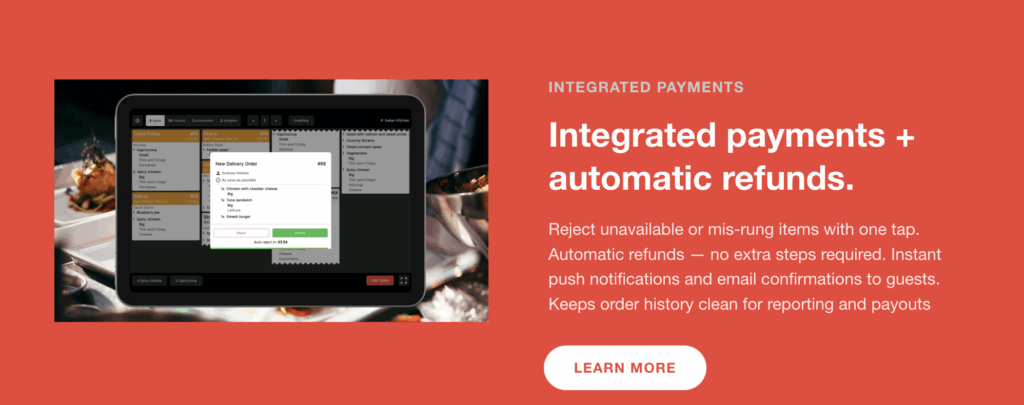
5) Customer-Facing Tech to Speed Up Lines (Line-Busting by Design)
What it is:
Self-service tools like QR codes, kiosks, and handheld line-busters that keep queues moving—especially during peak rush.
Why it matters:
- Higher throughput: More orders with the same headcount.
- Better accuracy: Guests confirm modifiers/allergens on-screen.
- Happier guests: Less waiting; clearer pickup instructions.
What good looks like:
- Scannable table/zone QR with auto-vendor routing
- Kiosks with smart upsells and payment on the spot
- Handhelds for staff to take orders in line and at tables
- Clear pickup screens and zone signage
6) Third-Party Delivery Integrations (Without the Operational Headache)
What it is:
Direct integrations to DoorDash, Uber Eats, etc., that map into the same KDS, inventory, and reporting as on-premise sales—no separate tablets.
Why it matters:
- Unified ops: One order queue, one menu source of truth.
- Consistent inventory: Shared 86 lists prevent selling items you don’t have.
- Clean accounting: Channel-level reporting with fees and commissions tracked.
What good looks like:
- Centralized menu management and price sync by channel
- Auto-throttling for delivery when kitchens are slammed
- Channel-specific analytics: AOV, prep time, cancel rates, margins
7) The Data Layer That Ties It All Together
These features shine when they feed a single reporting model:
- Daily tenant statements with sales, taxes, discounts, fees, and rent
- Adoption metrics (digital vs. POS, line-busting impact, repeat rate)
- Kitchen performance (prep times, ready-to-pickup SLAs)
- Cash and tip controls (payroll vs. paid-out-of-drawer logic)
- Inventory health (depletion rates, theoretical vs. actual)
Implementation Checklist (Steal This)
- Map zones (bar, stalls, pickup shelves) and label QR locations
- Define vendor revenue centers and routing rules
- Configure rent formulas and settlement cadence (daily/weekly)
- Stand up KDS stations with SMS statuses and expo logic
- Connect delivery channels; align menus and 86 sync
- Train staff on line-busting flows (kiosk + handheld + QR)
Bottom Line
Food halls win on variety and vibe—but they only scale with a POS that’s engineered for multi-vendor complexity. Two-way tab syncing, unified mobile ordering, automated landlord settlements, intelligent KDS with SMS and inventory, guest-facing line-busters, and clean delivery integrations aren’t “nice to have”—they’re the blueprint.