
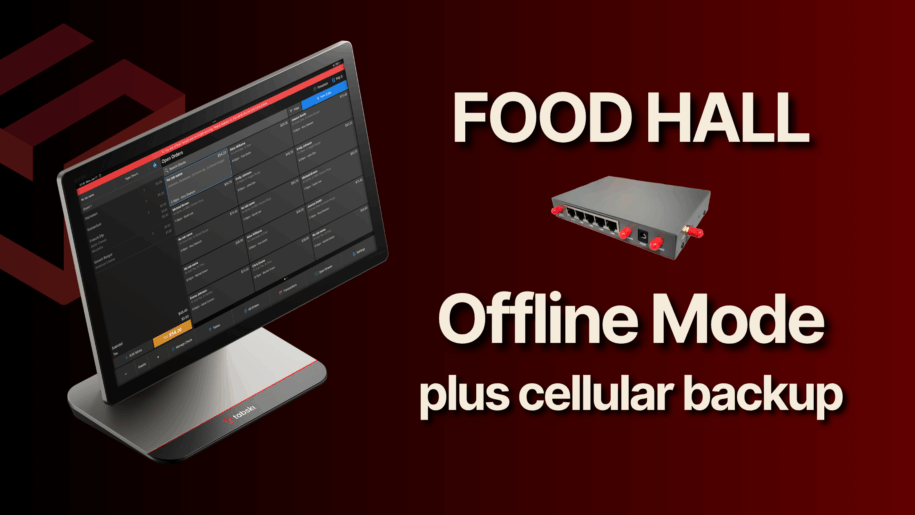
When a food hall goes dark—even for a few minutes—the ripple effects hit every counter, every bar, every guest, and your daily sales. Most POS vendors advertise an “offline mode,” but there’s a critical difference between device-level offline (each register trying to survive on its own) and a network-level failover that keeps your entire operation—printers, KDS, bars, kitchens, and payments—working as usual.
Tabski’s approach is purpose-built for multi-vendor environments: we provide a plug-and-play cellular device that connects to your existing POS router. When your ISP drops, your router automatically fails over to LTE, preserving the local network and cloud connectivity for printing checks to bars and kitchens, firing to KDS, and processing payments—not just on one terminal, but across every vendor station that rides your LAN.
The problem with device-level “offline mode”
Many mainstream systems (Clover, Square, Toast, etc.) provide a terminal-centric offline mode or optional LTE at the device. That can keep a single device taking payments (often by queueing them), but it doesn’t restore the site network—so remote printers and KDS screens may not behave normally until full connectivity returns.
- Square: Offline Mode lets terminals accept card payments while offline; payments are queued and submitted when online again. This keeps a register moving, but it isn’t a whole-site network failover—and forum threads highlight limitations for kitchen printing/KDS behavior during outages. Square+2Square Community+2
- Toast: Toast devices can continue in Offline Mode and may still reach printers over the LAN, but documentation notes that if the restaurant cannot communicate with Toast cloud services, devices cannot communicate with each other—a real gotcha in multi-device, multi-vendor setups. Toast Central+3Toast Docs+3Toast Central+3
- Clover: You can enable offline payments per device; orders and prints can queue and fire when devices/printers are available again. Helpful—but again, this is device-level continuity, not guaranteed end-to-end operations with network printers/KDS during ISP outages. Clover+2Clover Platform Docs+2
Bottom line: Device-level LTE or “offline mode” keeps a register alive—but does not guarantee that your bars, kitchens, KDS, or remote printers will behave exactly like normal. In a food hall, that’s the difference between a line that keeps flowing and a floor that stalls.
Tabski’s approach: Router-level cellular failover for full functionality
Tabski supplies a dedicated cellular failover unit that plugs into your existing POS router. If your ISP blips, the router automatically switches to LTE, preserving:
- Kitchen & bar printing (network printers remain reachable)
- KDS routing & modifiers (devices stay on the same LAN and cloud link)
- Vendor-to-vendor communication (centralized flows still work)
- Payments (no manual queue/flush cycle per device)
Because the network stays up, operations continue as normal. Staff doesn’t change behavior, guests don’t notice, and you avoid the order pileups and reprints that come with device-only workarounds.
Why this matters so much for food halls
Food halls multiply the operational risk of a simple ISP hiccup:
- Multiple vendors share printers/KDS and fulfillment rails. If the LAN or cloud link drops, tickets can’t reach the right stations, and recovery creates double-fires or missed items.
- Shared peak hours: Lunch and dinner spans create intense, synchronized demand. Even a short outage during a rush can cause order abandonment and lost bar upsells.
- Brand experience: Guests expect a single, seamless flow across vendors. Paper backups and shouted orders aren’t it.
A true, router-level failover prevents these cascade failures by keeping the hall’s entire digital nervous system online.
The numbers: typical ISP “nines” and what downtime costs you
ISPs publish uptime targets in SLAs. A few examples from widely used business providers:
- 99.99% uptime (often for dedicated internet): ~52.6 minutes of downtime/year. Comcast Business markets 99.99% uptime on dedicated internet. Comcast Business+2Comcast South+2
- 99.95% uptime (common on business broadband/fiber): ~4.38 hours/year. Third-party analyses cite 99.95% as a typical business SLA tier. Business.org+2Lightyear+2
Quick math you can apply to your hall
Annual lost sales ≈ (Annual sales ÷ Open hours/year) × Downtime hours/year
Example A (mid-volume hall):
- Annual sales: $6,000,000
- Open: 12 hrs/day → 4,380 hrs/year
- Average revenue/hour: $6,000,000 ÷ 4,380 ≈ $1,370/hr
At 99.95% (≈ 4.38 hrs down): $1,370 × 4.38 ≈ $6,000 potential sales exposure/year.
At 99.90% (≈ 8.76 hrs down): $1,370 × 8.76 ≈ $12,000.
Example B (higher-volume hall):
- Annual sales: $12,000,000
- Same hours → $2,740/hr on average
- 99.95%: $2,740 × 4.38 ≈ $12,000
- 99.90%: $2,740 × 8.76 ≈ $24,000
These figures don’t include secondary costs: labor idle time, comped items, remake waste, and negative reviews from service disruptions.
And remember: many outages don’t land in one neat block—they hit during rushes, where your revenue/hour is far above the daily average.
How Tabski’s cellular redundancy is deployed
- Plug-in failover: We provide a pre-configured cellular device that connects to your existing POS router.
- Automatic cutover: If the ISP drops, the router switches to LTE—no staff intervention.
- Full operations preserved: Bars, kitchens, KDS, vendor stations, and payment flows continue as normal.
- Automatic return: When the ISP returns, the router switches back—no re-pairing, no queued transactions to reconcile.
This is the same principle enterprises use—protect the network, not just a single device. In a food hall, that difference is everything.
What to ask any vendor about “offline mode”
- Does your offline mode maintain the LAN and keep network printers/KDS firing normally, or is it device-only?
- If my internet goes out, can I still print to bars and multiple kitchens without manual workarounds?
- Will my different vendor stations still talk to each other (and to the cloud) during failover?
- Is the failover automatic at the router, or do individual staff need to toggle anything?
(Vendor docs frequently indicate payment queueing and potential printer continuity—but also note limitations when cloud communication breaks. For multi-station halls, those limits matter.) Square+4Toast Docs+4Toast Central+4
Takeaways
- Device-level LTE ≠ full operations: It can save a register, but not an entire food hall. Square+1
- Router-level cellular failover keeps everything working: printers, KDS, payments, and inter-vendor flows—no retraining, no reprinting.
- Downtime is expensive even at “four nines.” A few hours a year during peak windows can translate to five figures in lost sales at scale. Lightyear+1
If you’re running a food hall, protect the network itself. Tabski’s plug-and-play cellular redundancy turns ISP outages into non-events, so your guests (and your sales) never skip a beat.
Sources:
Square Offline Mode overview; Toast offline/printing behavior; Clover offline payments and printing FAQs; ISP uptime benchmarks and SLAs from Comcast Business and industry analyses. Lightyear+15Square+15Square Community+15
Note: ISP SLAs vary by plan (dedicated internet vs. business broadband). Always confirm your specific SLA and measure your actual observed uptime locally. Comcast Business