
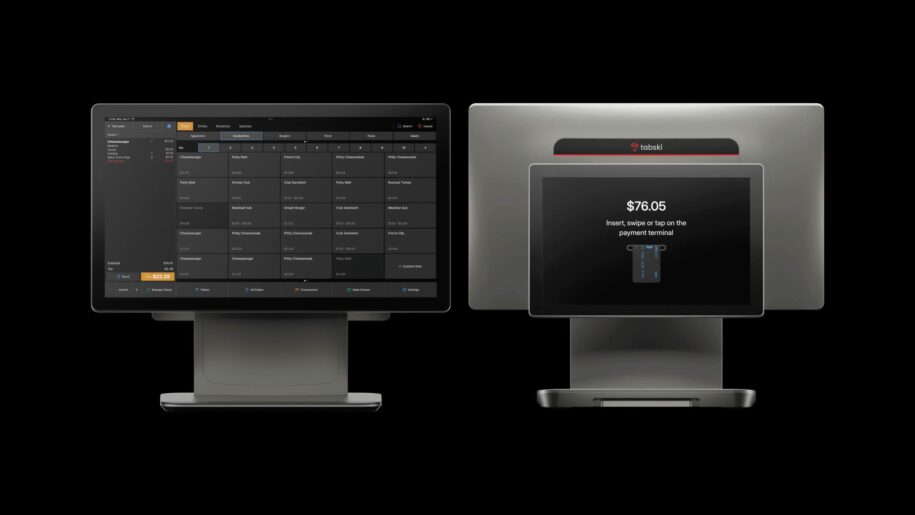
If you’re building a POS in 2025, the winning posture is open by design with selective, high-impact native features. Operators expect best-of-breed, and they expect your product to play nicely with the stack they already use. The art is deciding where you differentiate by building and where you accelerate by integrating.
Below is a practical, operator-centric framework plus category-by-category guidance.
A simple decision framework
Use these eight lenses before you write code:
- Operator Differentiation: Will building this make your POS meaningfully better/faster/profitable for operators in your target segment?
- UI Adjacency & Workflow Depth: Does this live inside core daily flows (ordering, payments, cash-out), or is it a side workflow?
- Data Gravity & Latency: Does it need millisecond-level accuracy from your source-of-truth (tickets, payments, labor cost) or can it sync?
- Ecosystem Maturity: Are there excellent, widely adopted vendors with stable APIs?
- Change Velocity: Is the domain fast-moving (regs, payroll tax rules, delivery partner policies) or relatively static?
- Regulatory/Financial Risk: Will owning it pull you into compliance, liability, or settlement risk?
- Time-to-Market & Focus: Does building it delay shipping critical POS fundamentals?
- Total Cost to Own: Ongoing maintenance, edge cases, support burden, and roadmap distraction—forever.
Rule of thumb:
- If (1)+(2)+(3) are high and (6) is manageable, lean Build.
- If (4) is strong, (5)+(6) are high, and (8) will balloon, lean Integrate.
- Where you integrate, invest in first-class APIs, deep adapters, and shared data models so the experience still feels native.
Category breakdown (Build vs. Integrate, with rationale)
1) Employee Scheduling / HR / Payroll → Integrate (premium), Build light HR hooks
- Why integrate: Constant compliance churn (tax, overtime, multi-jurisdiction rules), identity verification, and garnishments create heavy ongoing risk and support cost. The ecosystem (e.g., 7shifts, Homebase, Paylocity, Gusto, ADP) is mature and competitive.
- Build scope: Native timeclock, wage cost visibility on tickets, labor KPIs in reports, PTO accrual hooks, and shift-status signals in the KDS/FOH UI.
- Must-have integrations: Real-time punches, job codes, wage rates, sales by revenue center, tips by employee, and labor cost APIs with webhooks.
2) Reservations & Waitlist → Integrate for most, Build if table management is your core
- Why integrate: Operators already live in OpenTable/Resy/SevenRooms/Waitlist-first tools. Data sync (party size, quoted times, table status) is enough for 90% of cases.
- Build if: Your core market is full-service or high-volume venues where live floor plan + two-way tab syncing changes throughput and guest experience.
- Key data flows: Table state, course pacing signals, promised time, and deposit/prepay status mapped to a guest tab.
3) Loyalty / CRM / Marketing Automation → Build core, Integrate advanced
- Why build: Loyalty impacts ticket size, visit frequency, and identity capture—true POS-level differentiation. You control earn/burn at the line-item level and can reward behaviors across channels (in-store, QR, kiosk).
- Integrate: For enterprise CRM, CDP, SMS/email orchestration, and offers marketplace.
- Minimum native set: Unified customer profile, points/balance on receipt and checkout, promo engine with item-level eligibility, fraud controls, and export/webhooks to marketing tools.
4) Gift Cards → Integrate (processor or specialist), Build a thin wrapper
- Why integrate: Liability accounting, breakage, and multi-store gift programs are specialized and often tied to your payments rails. Providers (e.g., Swipe-It and others) offload risk and compliance.
- Build scope: Seamless activation/redemption in POS, balance check, bulk issue for events, and reporting. Avoid holding the liability unless you must.
5) Inventory & Costing (COGS) → Build the core counts & recipes, Integrate deep ERP
- Why build: Menu-item → recipe → theoretical usage is tightly coupled to tickets, voids, modifiers, and waste—your data. Real-time cost visibility edges decisions on pricing and 86’ing.
- Integrate: With back-office/ERP (MarginEdge, xtraCHEF/Toast Inventory, Restaurant365) for vendor EDI, invoice OCR, and multi-location forecasting.
- Core you should own: Recipes, yields, unit conversions, depletion from sales, par levels, 86 list into KDS/online.
6) Online/QR Ordering, Kiosk, and Two-Way Tab Sync → Build
- Why build: This is now a front-door to the POS. Latency, modifier logic, taxes, tips, and two-way tab syncing are best when native. This is a signature experience (especially for food halls, breweries, dog-park bars).
- Integrate: Delivery aggregators and channel managers (DoorDash, Uber, etc.) via stable gateways.
7) Payments, Risk, and Settlement → Build control, Integrate processors
- Why build control: Tightly integrate tokenization, surcharges/convenience fees, split funding, and offline auths. Your economics and UX live here.
- Integrate: With multiple downstream processors/acquirers for price leverage and regional coverage. Consider routing logic but avoid being captive to a single rail unless the unit economics are exceptional.
8) Accounting (GL, AR/AP) → Integrate
- Why integrate: Operators already run QuickBooks, Xero, Sage. You should export clean, normalized journal entries: sales by tender, fees, tax, tips, gift card liability, settlement timing.
- Build scope: Robust mappings, close-day automation, and reconciliation tools.
9) Reporting, Analytics, and Data Warehouse → Build core, Integrate BI
- Why build: Real-time dashboards (sales, labor %, product mix, voids, comp, throughput) are core value. You’re the system of record.
- Integrate: With a warehouse (BigQuery/Snowflake) and BI (Looker/Power BI) for multi-unit finance teams. Offer CDC/webhooks and governed schemas.
10) Kitchen Display System (KDS) & Expo → Build
- Why build: Ticket routing, coursing, bump logic, and SLA timers are mission-critical, highly tactile, and unique to your segments. This is operational differentiation.
- Integrate: Printers and hardware options, but keep the brains in-house.
11) Compliance & Tax (Sales Tax, Alcohol, Age Verification) → Integrate
- Why integrate: Nexus rules, alcohol compliance, ID scans—constant regulatory flux. Use specialists (Avalara/others) behind a clean abstraction. You keep real-time tax-inclusive pricing and receipt accuracy; offload the rules engine.
12) Customer Messaging (SMS/Email/Push) → Integrate
- Why integrate: Carriers change policies; deliverability and consent management are specialized. Offer templates and event triggers in your UI, then hand off to providers via API.
Quick scorecard
| Category | Differentiation | Risk/Compliance | Ecosystem Maturity | Data Latency Need | Verdict |
|---|---|---|---|---|---|
| Scheduling/HR/Payroll | Low-Med | High | High | Med | Integrate |
| Reservations/Waitlist | Med | Low | High | Med | Integrate (Build if table mgmt core) |
| Loyalty/CRM | High | Med | Med | High | Build core + Integrate advanced |
| Gift Cards | Low-Med | High | High | Med | Integrate (thin native UX) |
| Inventory/COGS | High | Med | Med-High | High | Build core + Integrate ERP |
| Online/QR/Kiosk/Tab Sync | High | Med | Med | High | Build |
| Payments/Settlement | High | High | High | High | Build control + Multi-processor integrate |
| Accounting/GL | Low | Med | High | Low | Integrate |
| Reporting/BI | High | Low | High | High | Build core + Integrate DW/BI |
| KDS/Expo | High | Low | Low-Med | High | Build |
| Tax/ID/Compliance | Low | High | High | Med | Integrate |
| Messaging | Med | Med | High | Low | Integrate |
What “open by design” actually means
- Public, well-documented APIs: Webhooks for tickets, payments, shifts, inventory deltas, customer events. Rate limits and SLAs.
- Unified identity: Stable IDs for locations, menus, items, modifiers, employees, and customers across all integrations.
- Declarative adapters: Mappings for taxes, discounts, tenders, and reason codes so third-party systems don’t guess.
- App permissions & data governance: Scopes by entity and venue; export logs so operators trust your platform.
- Marketplace & certification: Badges for “deep” integrations; reference implementations and test sandboxes.
- Fail-safe UX: If an integration is down, core flows (ordering, payments, KDS) still run; queue changes and reconcile later.
Traps to avoid
- Owning liability you don’t need (gift cards float, payroll taxes) when a best-of-breed partner is cheap and proven.
- Leaky “semi-native” features that look built-in but behave inconsistently vs. receipts, reports, and refunds.
- One-off integrations without reusable adapters—every new partner shouldn’t cost a sprint.
- Slow or stale data: Inventory and loyalty break if you batch once nightly. Aim for event-driven sync.
When to revisit a decision
- You hit scale where third-party costs erase margin or limit roadmap control.
- Customer segment shift (e.g., moving from QSR to full-service) makes a previously peripheral workflow core.
- Partner risk: A key vendor changes pricing, is acquired, or sunsets APIs.
- New economics: You can unlock a net-new revenue stream (e.g., platform fees, split-funding rent, premium KDS) by building.
The takeaway
Operate like a platform, not a monolith. Build where latency, workflow depth, and differentiation matter (ordering, payments, KDS, loyalty core, inventory core). Integrate where compliance churn is brutal or the ecosystem is excellent (payroll, tax, accounting, gift cards, messaging, delivery marketplaces). Give operators choice—and give your team focus.
Open wins.